Creative Drawing and painting app for Mac
Animation Sketchpad
by Arjun Gupte
- Price
- Paid (CA$24.99 in the Canadian App Store)
- Platforms
- Mac
- Requires
- macOS 10.13.0+
- Updated
- 25 Jun 2022




Overview
From the developer's App Store description:
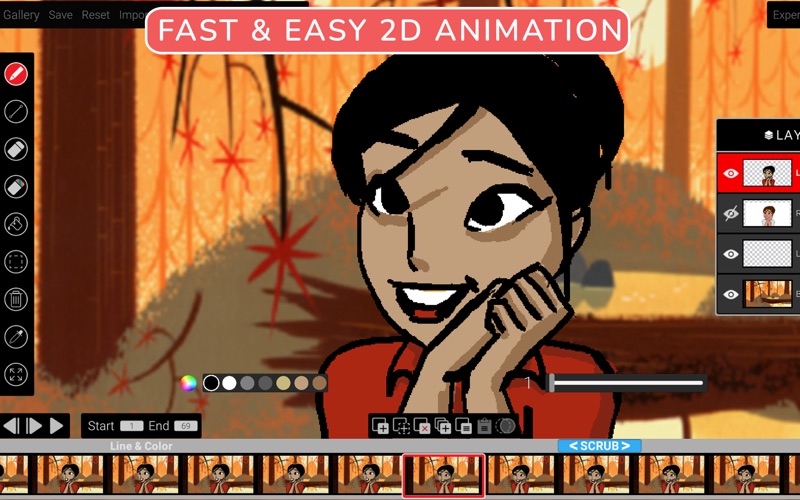
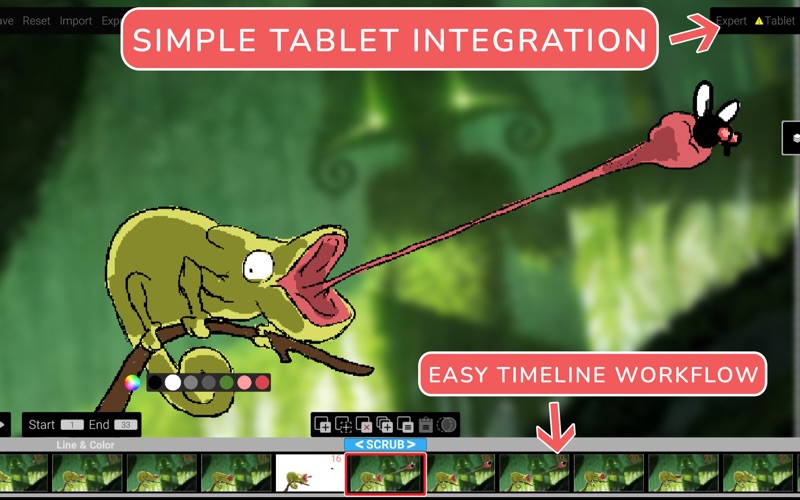
Animate your dreams and bring them to life! An extremely fast hand-drawn animation software using a tablet for thick and thin brush control and intuitive workflow. Animators will love the simplicity and ease of use which lets them quickly sketch out animations and beginners can focus on improving their drawing and timing. Animation Sketchpad works on both Silicon M1 Macs and older Intel Macs seamlessly.
Animation Sketchpad is a drawing and painting app by Arjun Gupte for Mac. It needs macOS 10.13.0 or later.
Heads up: Animation Sketchpad has not had an App Store update since 25 Jun 2022. Apps that go this long without updates may not work well on the latest macOS or iOS.
Price and purchases
Animation Sketchpad is a paid app: CA$24.99 in the Canadian App Store. US pricing may differ.
Price from the App Store, checked 12 Nov 2026. Prices and purchases change; check the App Store before you buy.
Facts
- Price
- Paid (CA$24.99 in the Canadian App Store)
- Requires
- MacOS 10.13.0 or later
- Version
- 3.0
- Last updated
- 25 Jun 2022
- Size
- 225 MB
- Age rating
- 4+
- First released
- 8 Apr 2021
- App Store category
- Photo & Video
- Also listed in
- Productivity
From the App Store listing, checked .
What's new in version 3.0
***MAJOR 3.0 UPDATE*** 1>Added layers workflow , with rough animation, layout and background layers 2>Line and color layer for black lines and colors, Rough animation w/ red only , layout static w/ blue, Background layer w/ all colors 3>Import Mp4 movies, frames are created on layer where MP4 is imported enabling frame editing and retiming 4>Import PNG and JPG 5>Improved frame editing ability with drag and drop move, copy and delete w/ hotkeys 6>Added global undo's upto 50 operations 7>Playback range for playing selected frames 8>Improved scrub controls for easier operations 9>Onion skinning increased to 3 before and 3 after 10>Added Windowed mode and full-screen mode. User can toggle between both modes whilst in scene 11>Improved eyedropper tool 12>Optimized selection, copy and paste tools 13>UI is improved with desktop standard design and enhancements 14>Added new animation tutorials and library scenes for learning 15>Various bug fixes and memory enhancements 16>Background adjustment with color correction, blur and opacity controls 17>Added tablet support with keyboard shortcuts and help videos for UI
From the developer's App Store release notes.
Alternatives to Animation Sketchpad
Other drawing and painting apps for Mac, by App Store chart ranking.


Details
- Developer
- Arjun Gupte ↗
- Category
- Drawing and painting
- Website
- animationsketchpad.com