Creative Screen recording and screenshot app for Mac
DU Recorder
by Beijing Xiaoxiong Bowang Technology Co., Ltd.
- Price
- Free
- Platforms
- Mac
- Requires
- macOS 10.13+
- Updated
- 22 Jan 2021


Overview
From the developer's App Store description:
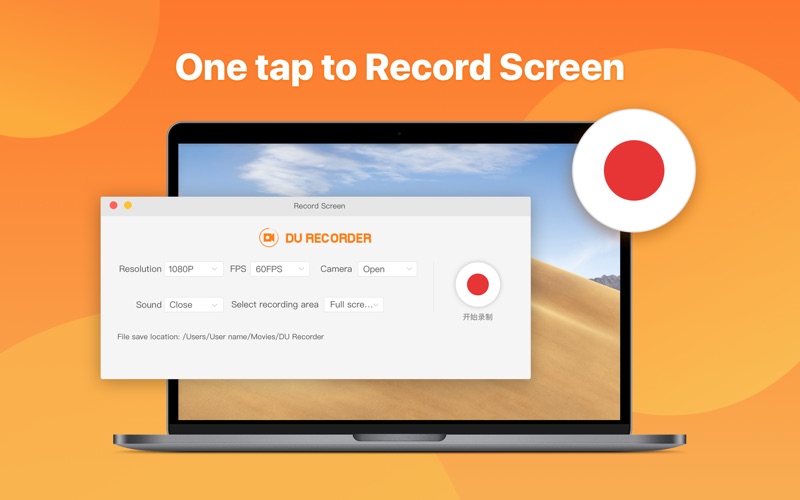
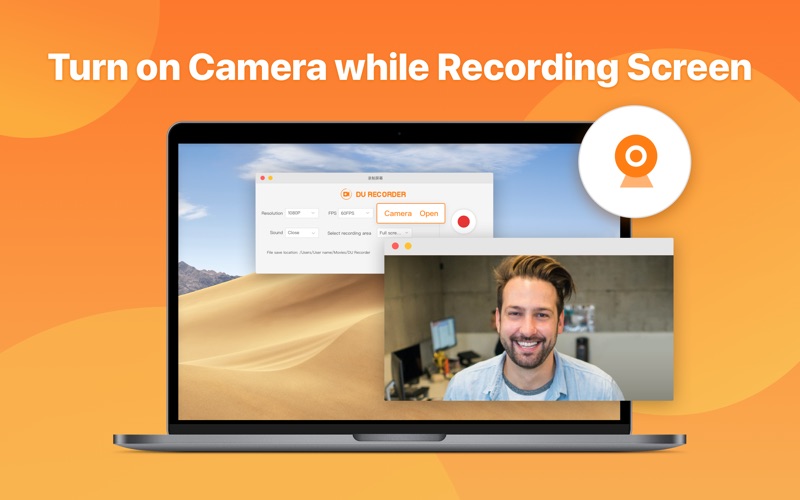
DU Recorder is a reliable and easy-to-use screen recorder and stream creator. With DU Recorder, you can record screen videos and save them locally. DU Recorder also allows you to livestream your screen to multiple platforms, such as YouTube, Facebook, Twitch, etc. DU Recorder provides high-definition and smooth recording and streaming experience, which makes it easy to record high-quality videos, video calls and exciting moments in games.
DU Recorder is a screen recording and screenshot app by Beijing Xiaoxiong Bowang Technology Co., Ltd. for Mac. It needs macOS 10.13 or later.
Heads up: DU Recorder has not had an App Store update since 22 Jan 2021. Apps that go this long without updates may not work well on the latest macOS or iOS.
Price and purchases
DU Recorder is free to download from the App Store.
Price from the App Store, checked 12 Nov 2026. Prices and purchases change; check the App Store before you buy.
Facts
- Price
- Free
- Requires
- MacOS 10.13 or later
- Version
- 1.0.3
- Last updated
- 22 Jan 2021
- Size
- 7 MB
- Age rating
- 4+
- First released
- 6 Jun 2020
- App Store category
- Photo & Video
From the App Store listing, checked .
What's new in version 1.0.3
1. Product details optimized
From the developer's App Store release notes.
Alternatives to DU Recorder
Other screen recording and screenshot apps for Mac, by App Store chart ranking.