

Productivity and work Productivity app for Mac
Easy Explore
by Marijn Davidse
- Price
- Free
- Platforms
- Mac
- Requires
- macOS 11.0+
- Updated
- 19 Jun 2024

Overview
From the developer's App Store description:
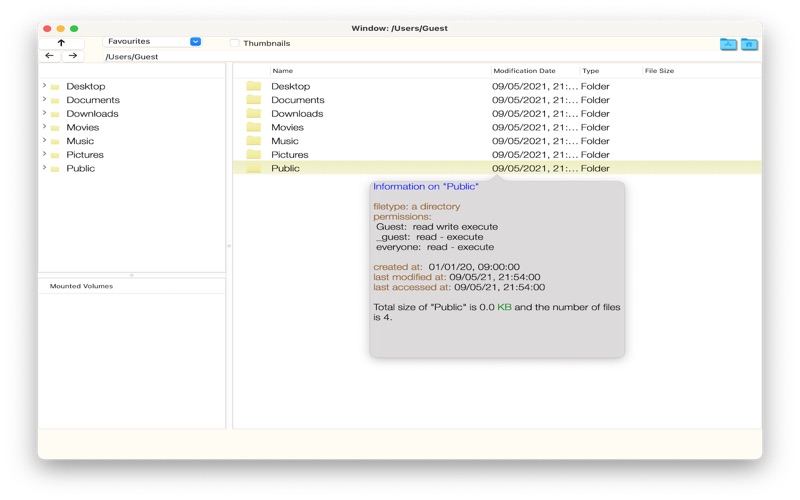
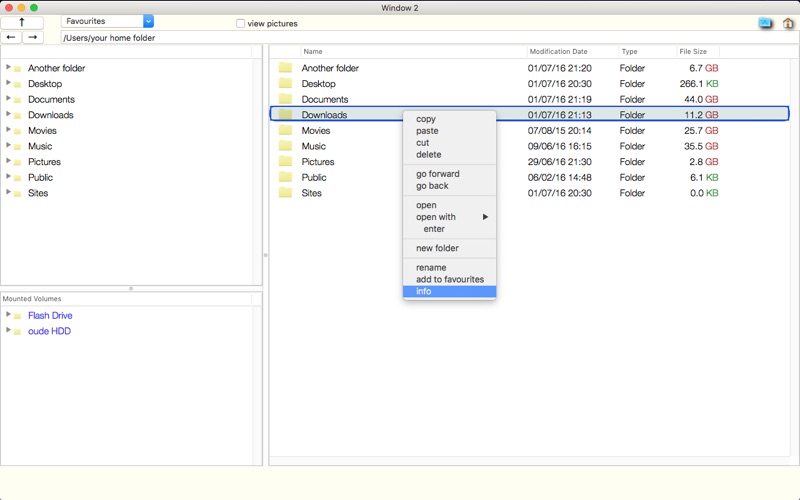
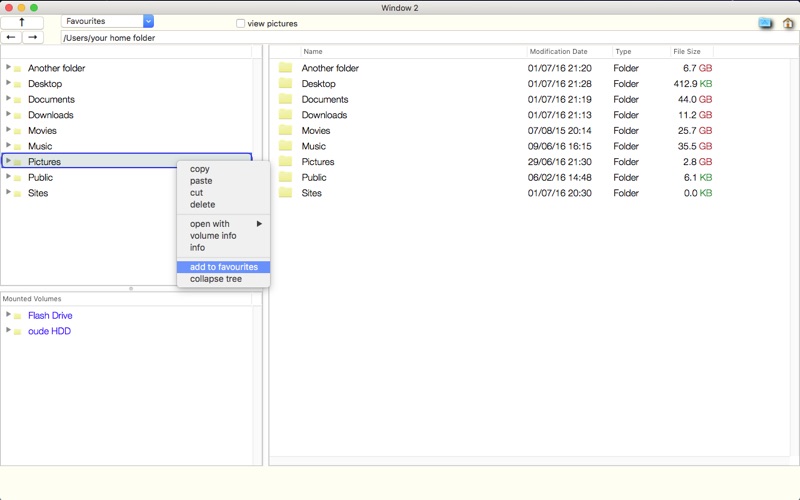
Looking for a way to manage your files and folders with ease and speed on your Mac? Here is Easy Explore! A classic treeview file browser with full tab support. It has familiar keyboard shortcuts such as Ctrl-C/Ctrl-V/Ctrl-X, delete and Enter.
Easy Explore is a productivity app by Marijn Davidse for Mac. It needs macOS 11.0 or later.
Heads up: Easy Explore has not had an App Store update since 19 Jun 2024. Apps that go this long without updates may not work well on the latest macOS or iOS.
Price and purchases
Easy Explore is free to download from the App Store.
Price from the App Store, checked 12 Nov 2026. Prices and purchases change; check the App Store before you buy.
Facts
- Price
- Free
- Requires
- MacOS 11.0 or later
- Version
- 1.8
- Last updated
- 19 Jun 2024
- Size
- 3 MB
- Age rating
- 4+
- First released
- 25 Feb 2014
- App Store category
- Productivity
- Also listed in
- Utilities
From the App Store listing, checked .
What's new in version 1.8
• New option to (de)select table columns. Just right-click on the column headers. • Search functionality extended: sortable also by location and modification date. • Some performance improvements • Some bug fixes • Fully compatible with latest macOS (14.5) and also with Apple silicon Macs.
From the developer's App Store release notes.
Alternatives to Easy Explore
Other productivity apps for Mac, by App Store chart ranking.




Details
- Developer
- Marijn Davidse ↗
- Category
- Productivity