

Productivity and work Focus and timer app for Mac
Good Timer
by Jon Colverson
- Price
- $3.99
- Platforms
- Mac
- Requires
- macOS 10.12+
- Updated
- 11 Nov 2020


Overview
From the developer's App Store description:
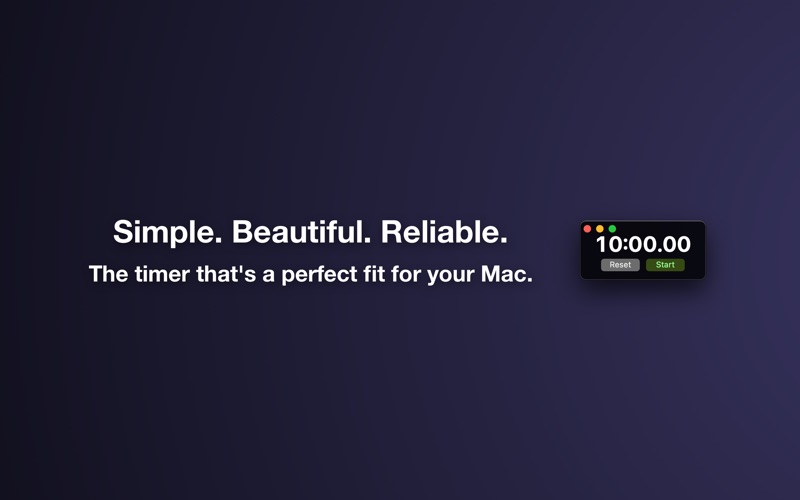
Good Timer is the simple, beautiful, and reliable countdown timer app that's designed to look right at home on your Mac. If you want a stopwatch instead of a countdown timer then see the companion app Good Stopwatch.
Good Timer is a focus and timer app by Jon Colverson for Mac. It needs macOS 10.12 or later.
Heads up: Good Timer has not had an App Store update since 11 Nov 2020. Apps that go this long without updates may not work well on the latest macOS or iOS.
Price and purchases
Good Timer costs $3.99 on the App Store.
Price from the App Store, checked 12 Nov 2026. Prices and purchases change; check the App Store before you buy.
Facts
- Price
- $3.99
- Requires
- MacOS 10.12 or later
- Version
- 1.2.0
- Last updated
- 11 Nov 2020
- Size
- 6 MB
- Age rating
- 4+
- First released
- 9 Aug 2017
- App Store category
- Utilities
- Also listed in
- Productivity
From the App Store listing, checked .
What's new in version 1.2.0
• Updated for macOS Big Sur, including an app icon that fits in with the new design conventions. • Runs natively on new Macs powered by the Apple M1 chip. • Added option to show milliseconds. • Made the app understand times with an "s" suffix at the end to indicate seconds. So now you can enter times like "45s" or "1m30s". • Added support for using decimals for hours and minutes, so now you can enter times like "1.5h" or "22.2m".
From the developer's App Store release notes.
Alternatives to Good Timer
Other focus and timer apps for Mac, by App Store chart ranking.


Details
- Developer
- Jon Colverson ↗
- Category
- Focus and timer