

Creative Photo editing app for Mac
Luminar
by Skylum
- Price
- Free
- Platforms
- Mac
- Requires
- macOS 12.0.0+
- Updated
- 25 Sept 2026


Overview
From the developer's App Store description:
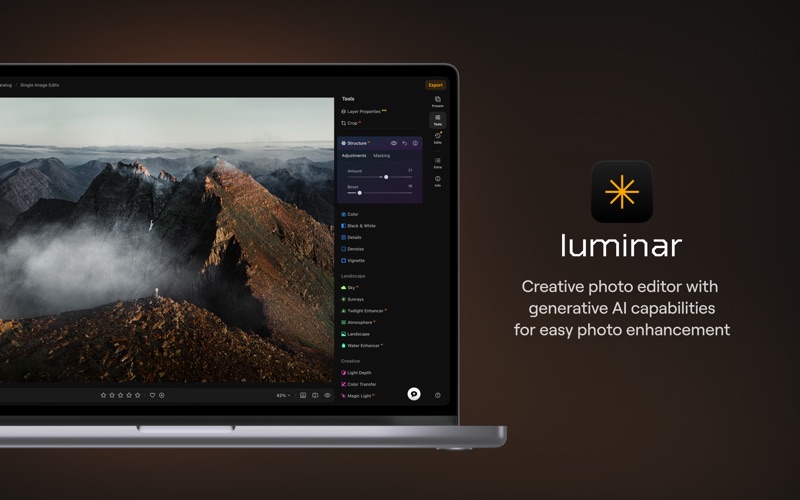
Luminar is a powerful RAW photo editor with cutting-edge AI tools and other incredible features. Achieve professional-quality results effortlessly with this next-gen picture editor. Use GenAI tech to remove unwanted elements in your shots, expand the frame of your photos, and try out new ways to bring your vision to life. Plus, explore features such as the object remover and background eraser to declutter images.
Luminar is a photo editing app by Skylum for Mac. It needs macOS 12.0.0 or later.
Price and purchases
Luminar is free to download from the App Store.
Price from the App Store, checked 12 Nov 2026. Prices and purchases change; check the App Store before you buy.
Facts
- Price
- Free
- Requires
- MacOS 12.0.0 or later
- Version
- 1.28.1
- Last updated
- 25 Sept 2026
- Size
- 3.2 GB
- Age rating
- 4+
- First released
- 16 Mar 2022
- App Store category
- Photo & Video
- Also listed in
- Graphics & Design
From the App Store listing, checked .
What's new in version 1.28.1
Luminar 1.28.1: Better DNG support, faster editing and more We’re excited to introduce Luminar 1.28.1, an update focused on making RAW editing more reliable, sharing Luminar easier, and everyday editing faster. With improved DNG support, quicker tools, and broader camera compatibility, this version gives you a smoother editing experience from import to export. Let’s explore what’s new: • Better DNG support. Luminar now uses the official Adobe DNG SDK for DNG handling, helping more DNG files open as they were recorded by your camera, with more accurate color and white balance. Apple ProRAW photos from iPhone now open properly and are ready for full RAW editing in Develop. We’ve also added support for DNG files compressed with the JPEG XL codec, so you no longer need to convert them in another editor before working with them in Luminar. • Invite friends. Sharing Luminar with friends is now easier than ever. The rebuilt referral program is available directly from the left sidebar, Luminar menu, and Account menu. Simply open Invite friends, grab your personal link, and share Luminar with anyone who would enjoy a better way to edit photos. …
From the developer's App Store release notes.
Alternatives to Luminar
Other photo editing apps for Mac, by App Store chart ranking.
 Adobe LightroomFree, same category, 288 MB smaller
 CamPhotoFree, same category, 3.2 GB smaller
 Adobe Photoshop Elements 2025Free, same category, 1.7 GB larger
 VNFree, same category, 1.8 GB smaller
 Stop Motion Studio Pro 2$14.49, same category, 3.0 GB smaller
 Mimeo PhotosFree, same category, 3.0 GB smaller
Details
- Developer
- Skylum ↗
- Category
- Photo editing
- Website
- skylum.com