

Mac utilities and customization Menu bar and notch app for Mac
Menubar Browser
by 超 程
- Price
- Free
- Platforms
- Mac
- Requires
- macOS 11.3+
- Updated
- 11 May 2025



Overview
From the developer's App Store description:
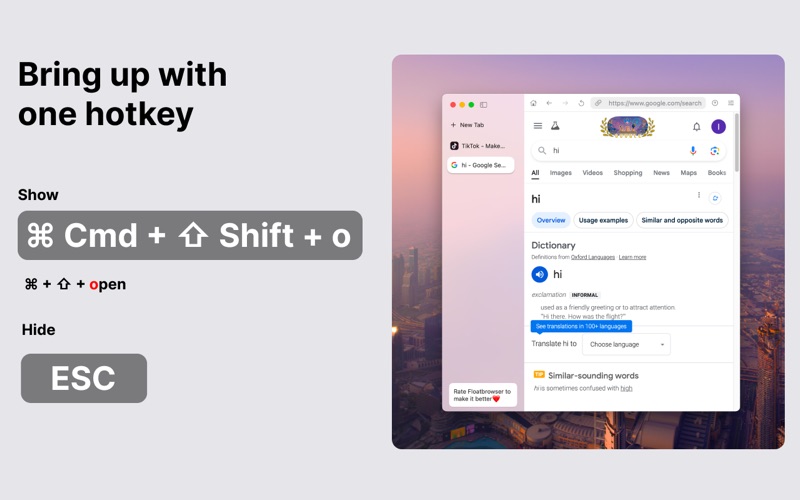
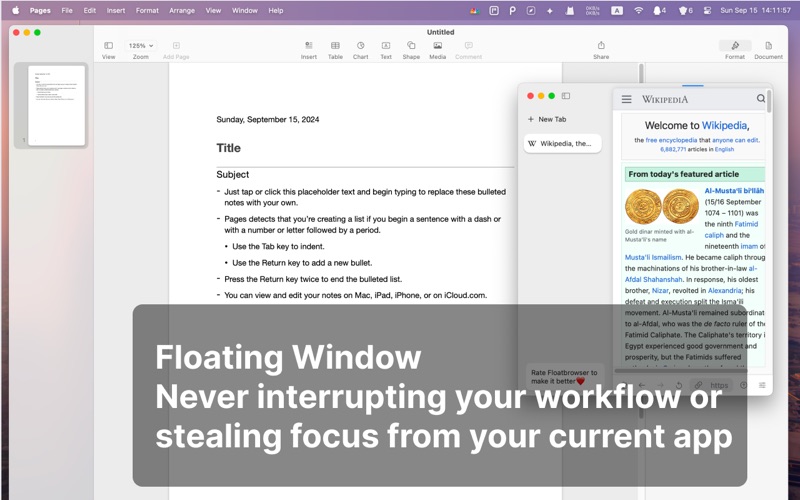
Menubar Browser - FloatBrowser – A float menu bar web browser that works well with your work flow. With FloatBrowser you could bring up a float window with hotkey, pin any web page in the menu bar, It will never de-focus your current app. Whether you're working, studying or watching youtube, FloatBrowser ensures you stay on top and focus your main task with a floating window. ## With Menubar Browser - FloatBrowser.
Menubar Browser is a menu bar and notch app by 超 程 for Mac. It needs macOS 11.3 or later.
Price and purchases
Menubar Browser is free to download from the App Store.
Price from the App Store, checked 12 Nov 2026. Prices and purchases change; check the App Store before you buy.
Facts
- Price
- Free
- Requires
- MacOS 11.3 or later
- Version
- 0.32
- Last updated
- 11 May 2025
- Size
- 3 MB
- Age rating
- 17+
- First released
- 23 Apr 2024
- App Store category
- Utilities
- Also listed in
- Productivity
From the App Store listing, checked .
What's new in version 0.32
Updates: 1. Remove Lockdown Browser related trademark and feature 2. Support hotkey ⌘+[ and ⌘+] to back or forward the page 3. Support default User-Agent. You could change the default user-agent in settings Nex Version: Vertical Tabs are coming backs
From the developer's App Store release notes.
Alternatives to Menubar Browser
Other menu bar and notch apps for Mac, by App Store chart ranking.
 NotchBoxFree, same category, 1.3 MB larger
 Menu Bar Controller for SonosFree, same category, 10 MB larger
 Say No to NotchFree, same category, 4.9 MB larger
 boring notch for DesktopFree, same category, 1.5 MB larger
 Hidden BarFree, same category, 4.1 MB larger
 Nightscout Menu BarFree, same category, 3.1 MB smaller
Details
- Developer
- 超 程 ↗
- Category
- Menu bar and notch, Browser and extension
- Website
- beauty-of-pixel.tech


