Creative Video editing app for Mac
MovieMator Video Editor
by effectmatrix
- Price
- Free
- Platforms
- Mac
- Requires
- macOS 10.8+
- Updated
- 4 Feb 2022



Overview
From the developer's App Store description:
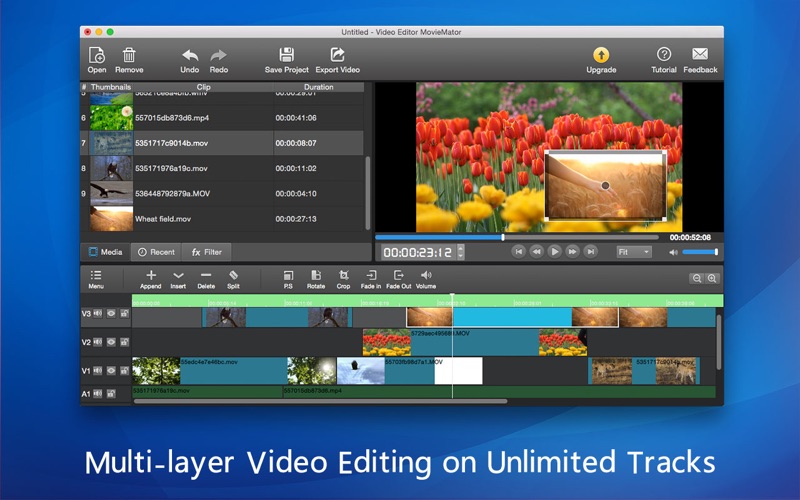
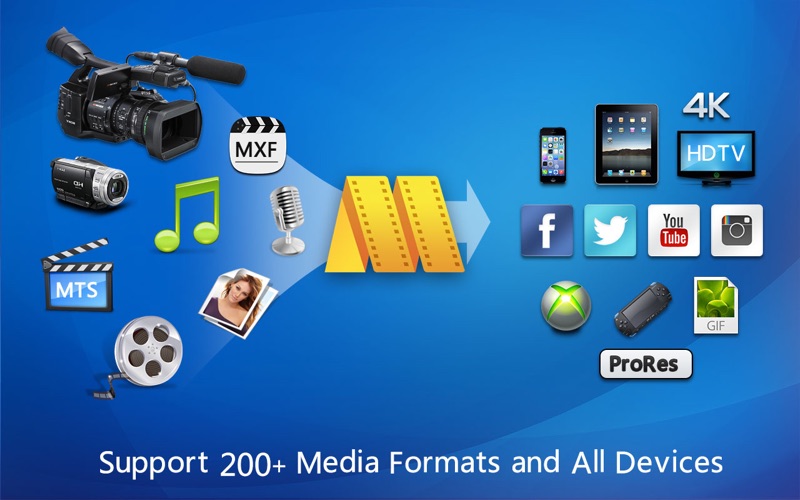
Many years in the making, MovieMator Video Editor has finally become a handy and useful video editing software. It can do all the basic editing work such as trimming, cropping, splitting, rotating, merging, adding subtitle, video overlay (PIP), stabilization and more, and provides unlimited video / audio tracks. It edits any type of video and audio clips in its native format and easily creates a variety of eye-catching animation effects with keyframes.
MovieMator Video Editor is a video editing app by effectmatrix for Mac. It needs macOS 10.8 or later.
Heads up: MovieMator Video Editor has not had an App Store update since 4 Feb 2022. Apps that go this long without updates may not work well on the latest macOS or iOS.
Price and purchases
MovieMator Video Editor is free to download from the App Store.
Price from the App Store, checked 12 Nov 2026. Prices and purchases change; check the App Store before you buy.
Facts
- Price
- Free
- Requires
- MacOS 10.8 or later
- Version
- 3.2.0
- Last updated
- 4 Feb 2022
- Size
- 103 MB
- Age rating
- 4+
- First released
- 18 May 2017
- App Store category
- Photo & Video
- Also listed in
- Entertainment
From the App Store listing, checked .
What's new in version 3.2.0
1 Thumbnails will be automatically displayed in video clips at each time point now. (Previously only thumbnails for start, middle, and end time points were shown). 2 Improves the click switching speed between video clips. 3 The clip can be edited frame by frame on the preview window by double-clicking the single video clip. 4 The gaps between the main track video clips will be filled automatically. 5 The interface has been optimized. 6 The sound display is temporarily turned off.
From the developer's App Store release notes.
Alternatives to MovieMator Video Editor
Other video editing apps for Mac, by App Store chart ranking.


Details
- Developer
- effectmatrix ↗
- Category
- Video editing
- Website
- moviemator.net