

Creative Drawing and painting app for iPhone
Nomad Sculpt
by Hexanomad
- Price
- Paid (A$29.99 in the Australian App Store)
- Platforms
- iPhone
- Requires
- iOS 16.0+
- Updated
- 23 Oct 2026
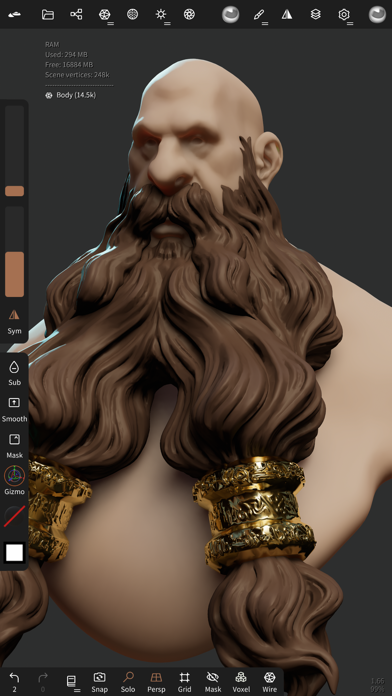
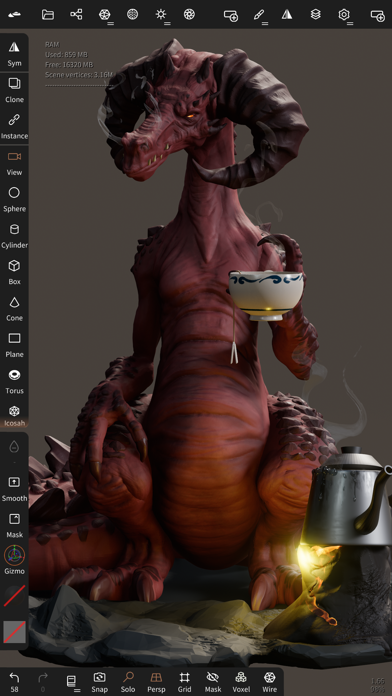


Overview
From the developer's App Store description:
Clay, flatten, smooth, mask and many other brushes will let you shape your creation. You can also use the trim boolean cutting tool with lasso, rectangle and other shapes, for hardsurface purposes.
Nomad Sculpt is a drawing and painting app by Hexanomad for iPhone. It needs iOS 16.0 or later.
Who it fits: People who want a paid drawing and painting app for iPhone and have iOS 16 or later. At 308 MB it is larger than the typical drawing and painting app for iPhone (57 MB).
Price and purchases
Nomad Sculpt is a paid app: A$29.99 in the Australian App Store. US pricing may differ.
Price from the App Store, checked 12 Nov 2026. Prices and purchases change; check the App Store before you buy.
Facts
- Price
- Paid (A$29.99 in the Australian App Store)
- Requires
- IOS 16.0 or later
- Version
- 2.13
- Last updated
- 23 Oct 2026
- Size
- 308 MB
- Age rating
- 4+
- First released
- 4 Aug 2020
- App Store category
- Graphics & Design
- Rating count
- 902 ratings on the App Store
From the App Store listing, checked .
What's new in version 2.13
• Poly Haven - 3D models from Poly Haven in the Files presets - Choose 1K, 2K or 4K before a texture or model download • Shapes - Band: Extend keeps the full value past the far guide, Flip swaps the guides - Mask: Preview shows the mask on the mesh while you edit the shape - Settings: Fill and Outline opacity, and a color per tool • Extract - Interior: Relax keeps the sculpted details, Smooth smooths them away - Borders only: Wall smoothing, with an option to keep hard corners • Repeaters - Randomize: add the same amount at each copy instead of a random one - Radial and surface repeaters: Alternate turns every other copy - Tube warp fits every side of a surface face, its limits show in the viewport • Curves and primitives - Long press on handles: turn it off or change its delay - Bevel on caps and text keeps sharp profile corners, in its own face group • Sculpt - DynTopo removes tiny tangled pieces - Voxel remeshing: By Groups remeshes each face group on its own • Import and export - Export: Join copies merges each object with its repeater copies - OBJ import with Keep topology keeps the file's normals, Material > Reset normals removes them • Interface …
From the developer's App Store release notes.
Alternatives to Nomad Sculpt
Other drawing and painting apps for iPhone, by App Store chart ranking.


Questions
Is Nomad Sculpt free?
No. Nomad Sculpt is a paid app: A$29.99 in the Australian App Store. We do not have its US price.
Does Nomad Sculpt work on iPhone?
Yes. Nomad Sculpt is on the App Store for iPhone and needs iOS 16 or later. There is no Mac version on the App Store.
What are alternatives to Nomad Sculpt?
Similar drawing and painting apps for iPhone include Procreate Pocket ($5.99), ibisPaint (free) and AltoPaint ($5.99).
Procreate Pocket · ibisPaint · AltoPaint · All drawing and painting apps for iPhone
Details
- Developer
- Hexanomad ↗
- Category
- Drawing and painting
- Website
- nomadsculpt.com