

Productivity and work PDF app for Mac
OwlOCR
by JonLuca De Caro
- Price
- Free
- Platforms
- Mac
- Requires
- macOS 13.3+
- Updated
- 11 Nov 2026



Overview
From the developer's App Store description:
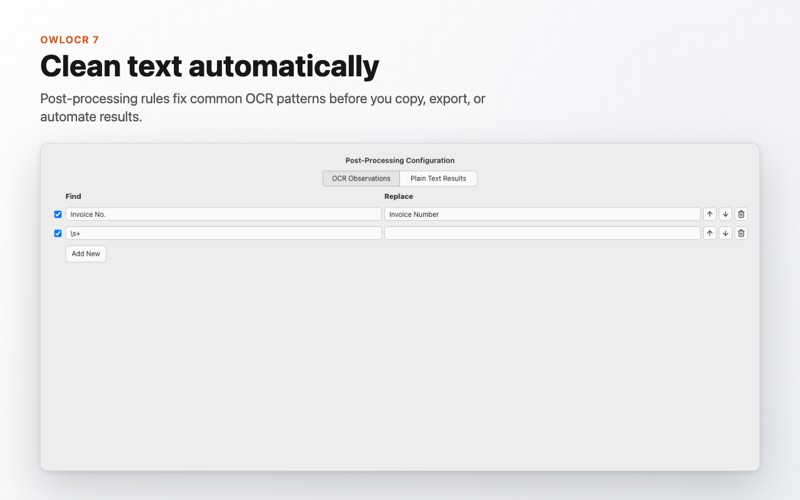
OwlOCR turns screenshots, images, scans, and PDFs into text you can copy, edit, export, and search. OwlOCR 7 adds optional local AI OCR for the tough cases: messy screenshots, low-quality scans, dense layouts, and documents where Apple's built-in OCR needs another pass. Apple Vision remains available for fast on-device OCR with text boxes and searchable PDF export, while OCR AI runs a downloaded model on your Mac and returns clean page text. Text recognition runs on-device.
OwlOCR is a PDF app by JonLuca De Caro for Mac. It needs macOS 13.3 or later.
Price and purchases
OwlOCR is free to download from the App Store.
Price from the App Store, checked 12 Nov 2026. Prices and purchases change; check the App Store before you buy.
Facts
- Price
- Free
- Requires
- MacOS 13.3 or later
- Version
- 7.25.0
- Last updated
- 11 Nov 2026
- Size
- 213 MB
- Age rating
- 4+
- First released
- 18 Aug 2023
- App Store category
- Productivity
- Also listed in
- Utilities
From the App Store listing, checked .
What's new in version 7.25.0
Updated local OCR AI, PDF text extraction, and the app framework. - Refreshed the embedded OCR AI runtime for Intel and Apple silicon Macs. - Updated PDF text processing components. - Included security fixes in supporting app components. OCR AI continues to run on your Mac with the same image size and page resolution controls.
From the developer's App Store release notes.
Alternatives to OwlOCR
Other PDF apps for Mac, by App Store chart ranking.
 PDFgearFree, same category, 83 MB smaller
 PDF ReaderFree, same category, 190 MB smaller
 Designs for Cricut MakerFree, same category, 201 MB smaller
 Design Space & Font for CricutFree, same category, 196 MB smaller
 Templates for AllFree, same category, 210 MB smaller
 PDF Reader for Adobe PDFFree, same category, 212 MB smaller
Details
- Developer
- JonLuca De Caro ↗
- Category
- PDF, Screen recording and screenshot
- Website
- owlocr.com