

Mac utilities and customization Security, VPN and password app for Mac
Password Pad Lite
by TJ Soft
- Price
- Free
- Platforms
- Mac
- Requires
- macOS 10.6+
- Updated
- 6 Sept 2011
Overview
From the developer's App Store description:
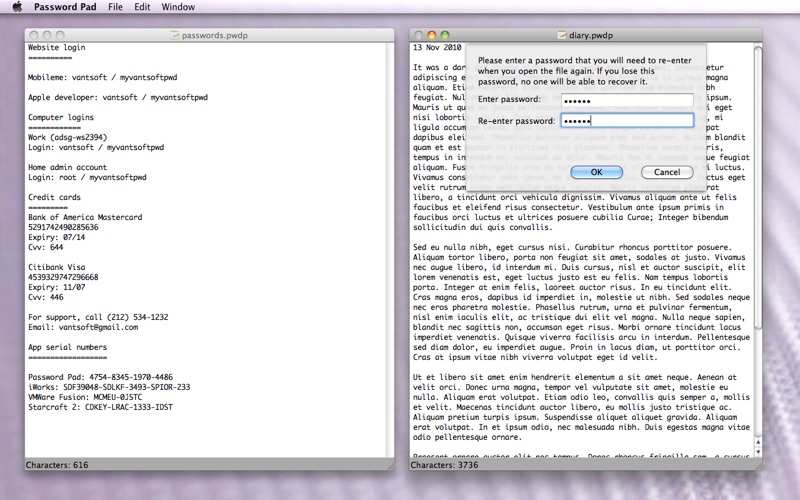
Password Pad Lite allows you to create multiple note files, each encrypted by a different password. The key feature of password pad is its simplicity, which makes it easier to use (no need to fill in pre-existing forms) and also allows it to be easily extended to other uses. Keep your data in the format that you want, not in the format that someone else has decided for you. Simple search for the data that you want to retrieve.
Password Pad Lite is a security, VPN and password app by TJ Soft for Mac. It needs macOS 10.6 or later.
Heads up: Password Pad Lite has not had an App Store update since 6 Sept 2011. Apps that go this long without updates may not work well on the latest macOS or iOS.
Price and purchases
Password Pad Lite is free to download from the App Store.
Price from the App Store, checked 12 Nov 2026. Prices and purchases change; check the App Store before you buy.
Facts
- Price
- Free
- Requires
- MacOS 10.6 or later
- Version
- 1.3
- Last updated
- 6 Sept 2011
- Size
- 1 MB
- Age rating
- 4+
- First released
- 3 Jan 2011
- App Store category
- Utilities
- Also listed in
- Productivity
From the App Store listing, checked .
What's new in version 1.3
- Change UI to remove popup dialog boxes where possible. - Added startup dialog box. - Added support for Mac OS X Lion Autosave. - Added support for Mac OS X Lion Resume. - Added support for Mac OS X Lion Full Screen. - Added support for Mac OS X Lion integrated find bar in text view. - Removed "Reopen Last Document" feature as it has been subsumed by Lion's Resume and startup dialog.
From the developer's App Store release notes.
Alternatives to Password Pad Lite
Other security, VPN and password apps for Mac, by App Store chart ranking.


Details
- Developer
- TJ Soft ↗
- Category
- Security, VPN and password
- Website
- passwordpad.weebly.com