

Mac utilities and customization Keyboard and mouse app for Mac
Picview
by 禹友 孔
- Price
- Free
- Platforms
- Mac
- Requires
- macOS 12.0+
- Updated
- 8 Jul 2026


Overview
From the developer's App Store description:
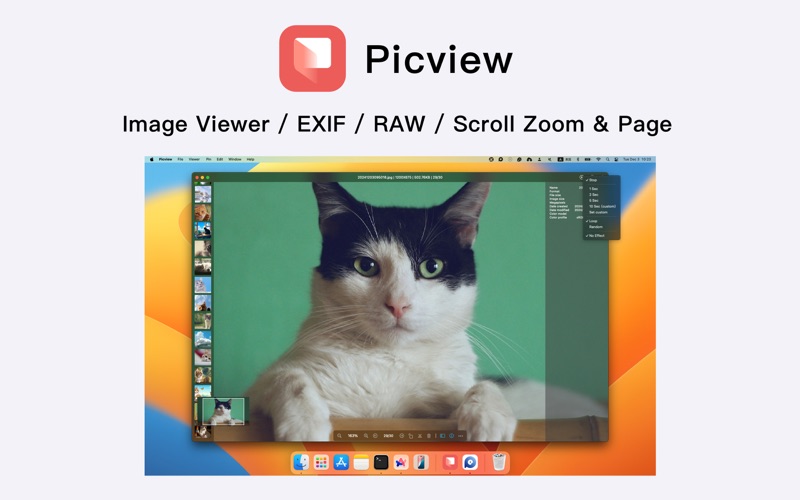
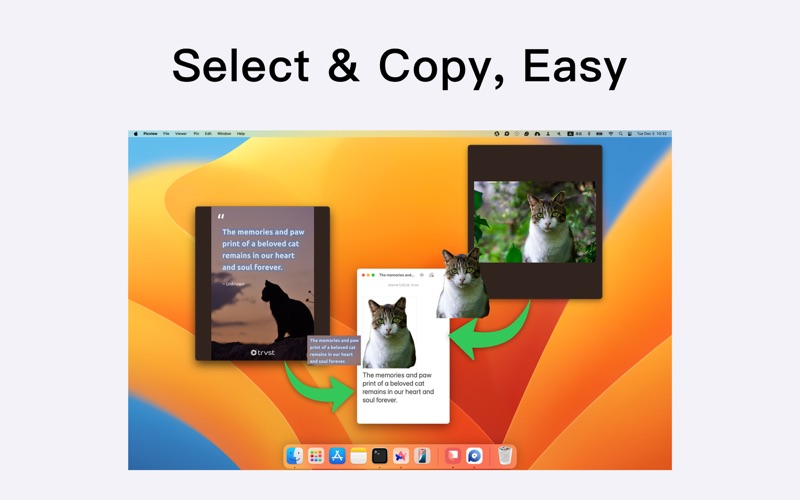
Picview works great with JPEG, HEIC, PSD, RAW, WEBP, PNG, GIF, and many other formats. Provides basic image processing, including flip and rotate, EXIF, and other information. Supports keyboard shortcuts and trackpad gestures. The most important, Picview like Windows' default picture viewer — Photos, where zoom in and out with the mouse wheel and switch between images with arrow keys and/or with on-screen buttons.
Picview is a keyboard and mouse app by 禹友 孔 for Mac. It needs macOS 12.0 or later.
Price and purchases
Picview is free to download from the App Store.
Price from the App Store, checked 12 Nov 2026. Prices and purchases change; check the App Store before you buy.
Facts
- Price
- Free
- Requires
- MacOS 12.0 or later
- Version
- 1.5.7
- Last updated
- 8 Jul 2026
- Size
- 5 MB
- Age rating
- 4+
- First released
- 1 Aug 2023
- App Store category
- Graphics & Design
- Also listed in
- Utilities
From the App Store listing, checked .
What's new in version 1.5.7
- Fixed an issue with custom slideshow playback duration
From the developer's App Store release notes.
Alternatives to Picview
Other keyboard and mouse apps for Mac, by App Store chart ranking.


Details
- Developer
- 禹友 孔 ↗
- Category
- Keyboard and mouse
