

Productivity and work Calendar app for Mac
QuickCal
by Rowena Ricalde
- Price
- Paid (£1.99 in the UK App Store)
- Platforms
- Mac
- Requires
- macOS 15.6+
- Updated
- 2 Aug 2026

Overview
From the developer's App Store description:
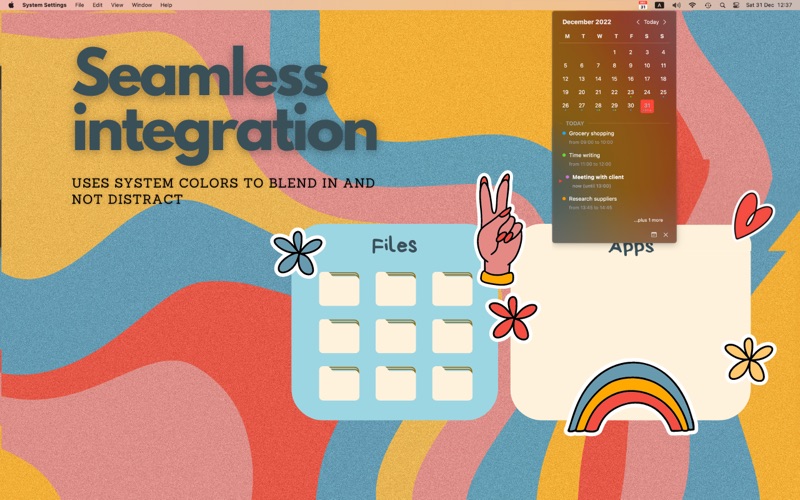
QuickCal is the ultimate calendar app for your Mac's menu bar! With QuickCal, you can easily view your upcoming events at a glance. Simply tap the icon to see a calendar display of the current month, complete with dots indicating which days have events scheduled. The app also displays the current date on its compact icon - it won't clutter up your menu bar and distract you from your work.
QuickCal is a calendar app by Rowena Ricalde for Mac. It needs macOS 15.6 or later.
Price and purchases
QuickCal is a paid app: £1.99 in the UK App Store. US pricing may differ.
Price from the App Store, checked 12 Nov 2026. Prices and purchases change; check the App Store before you buy.
Facts
- Price
- Paid (£1.99 in the UK App Store)
- Requires
- MacOS 15.6 or later
- Version
- 1.6
- Last updated
- 2 Aug 2026
- Size
- 1 MB
- Age rating
- 4+
- First released
- 2 Jan 2023
- App Store category
- Productivity
- Also listed in
- Utilities
From the App Store listing, checked .
What's new in version 1.6
New Features: - Keyboard shortcut for new events. Press ⌘N to open the add-event form instantly, Return to save, and Escape to cancel — no mouse required. - Edit existing events. Update an event's title or time in place from the day list instead of deleting and recreating it. - New Settings. Choose between the classic red menu bar icon and a system-colored style (which also applies to today's and the selected day's highlight color), toggle week numbers, and turn "Start at login" on or off at any time — accessible from a new gear icon in the dropdown. Bug Fixes: - Adding or canceling an event no longer closes the whole calendar dropdown - the add-event form now just collapses and the calendar updates in place. - Events can no longer be created with a blank title. - Failed event saves now show an inline error message instead of failing silently. - Performance updates for smoother, hitch-free scrolling.
From the developer's App Store release notes.
Alternatives to QuickCal
Other calendar apps for Mac, by App Store chart ranking.


Details
- Developer
- Rowena Ricalde ↗
- Category
- Calendar
- Website
- ganglionsoftware.com

