

iPhone utilities and customization Measure and 3D scan app for iPhone
Range Finder Tool
by Natalia Gavrylova
- Price
- Paid (CA$3.99 in the Canadian App Store)
- Platforms
- iPhone
- Requires
- iOS 26.0+
- Updated
- 4 Aug 2026



Overview
From the developer's App Store description:
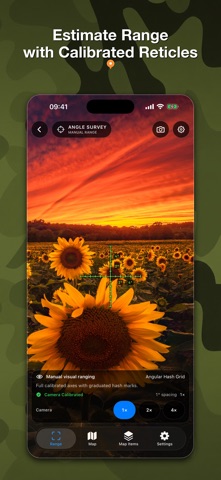
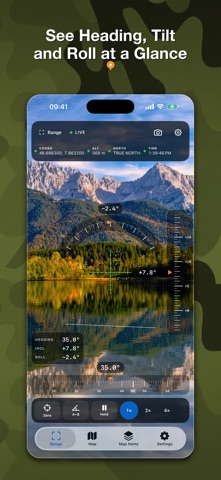
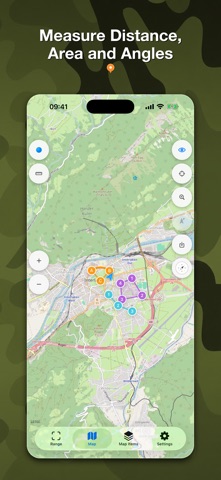
Turn your iPhone or iPad into a practical field toolkit for camera measurement, maps, waypoints, compass work, and astronomical planning. RangeFinder brings the instruments you need into one focused app. Estimate a distance, inspect an angle, save a waypoint, measure a shape on the map, or plan around sunlight without breaking your workflow.
Range Finder Tool is a measure and 3D scan app by Natalia Gavrylova for iPhone. It needs iOS 26.0 or later.
Price and purchases
Range Finder Tool is a paid app: CA$3.99 in the Canadian App Store. US pricing may differ.
Price from the App Store, checked 12 Nov 2026. Prices and purchases change; check the App Store before you buy.
Facts
- Price
- Paid (CA$3.99 in the Canadian App Store)
- Requires
- IOS 26.0 or later
- Version
- 3.0
- Last updated
- 4 Aug 2026
- Size
- 26 MB
- Age rating
- 4+
- First released
- 16 May 2014
- App Store category
- Navigation
- Also listed in
- Travel
- Rating count
- 7 ratings on the App Store
From the App Store listing, checked .
What's new in version 3.0
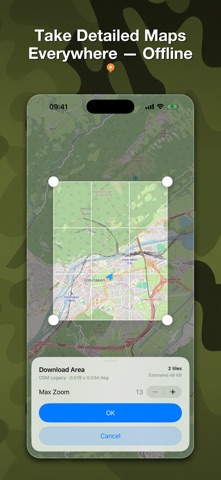
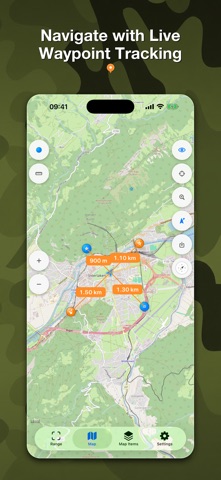
RangeFinder 3.0 is a major new release, rebuilt as a modern field toolkit. • Meet the new Range, Angle, and Angle Survey instruments with shared camera, reticle, capture, and sensor settings. • Use a calibrated vector-reticle library with Fine Cross as the default. Save your first instrument photo to unlock six bonus reticles. • Explore raster and OSM vector maps, download supported offline areas, manage storage, and zoom vector maps up to level 19. • Create waypoints from a photo’s GPS metadata, attach photos and voice messages, and track selected waypoints on the map, compass, and live camera. • Measure distances, angles, shapes, and areas on the map, with improved coordinate search and inspection. • Plan outdoors with compass tools and on-device Sun, Moon, planet, twilight, golden-hour, and blue-hour calculations. • Bring compatible waypoints, media, and settings forward safely from the previous app. This update also includes extensive performance, accessibility, localization, camera-capture, and offline-map improvements.
From the developer's App Store release notes.
Alternatives to Range Finder Tool
Other measure and 3D scan apps for iPhone, by App Store chart ranking.



Details
- Developer
- Natalia Gavrylova ↗
- Category
- Measure and 3D scan, Travel and navigation
- Website
- lifewaresolutions.com
