

Productivity and work Productivity app for Mac
Revizto Five
by 3DreamTeam Inc.
- Price
- Free
- Platforms
- Mac
- Requires
- macOS 10.9.0+
- Updated
- 7 Oct 2026


Overview
From the developer's App Store description:
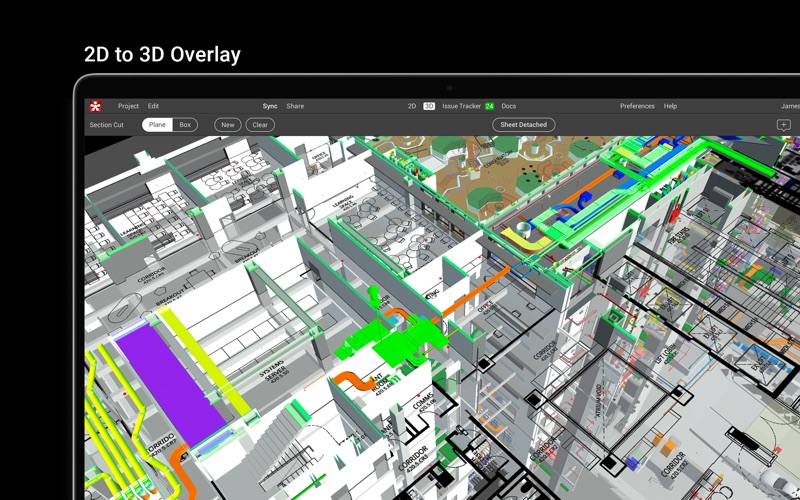
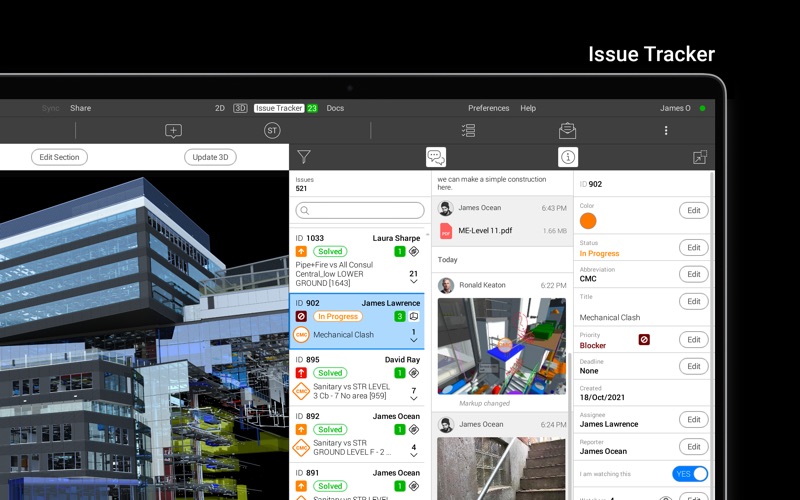
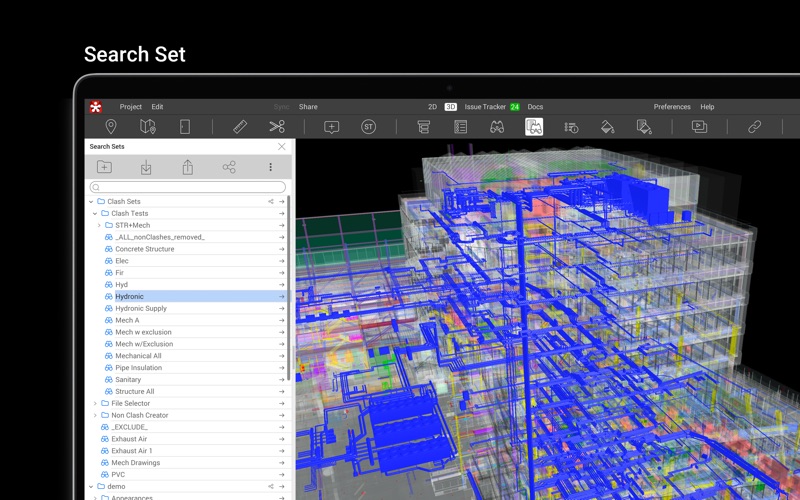
Revizto is an Integrated Collaboration Platform (ICP) for architects, engineers, contractors and building owners that streamlines communication throughout construction project lifecycles. Revizto reduces errors and misunderstandings by creating a culture of true cross-trade collaboration. Revizto 5 for Mac and iPad allows users to examine scenes created within Revizto by turning BIM projects into navigable 3D environments.
Revizto Five is a productivity app by 3DreamTeam Inc. for Mac. It needs macOS 10.9.0 or later.
Price and purchases
Revizto Five is free to download from the App Store.
Price from the App Store, checked 12 Nov 2026. Prices and purchases change; check the App Store before you buy.
Facts
- Price
- Free
- Requires
- MacOS 10.9.0 or later
- Version
- 5.18
- Last updated
- 7 Oct 2026
- Size
- 302 MB
- Age rating
- 4+
- First released
- 27 Aug 2020
- App Store category
- Productivity
- Also listed in
- Business
From the App Store listing, checked .
What's new in version 5.18
Drafts - Added drafts for more flexible review workflows. Create markup drafts on sheets, save new 2D and 3D issues as drafts before publishing them, and save changes to existing issues as drafts. Drafts are stored locally and preserved as you move between different sheets and 3D, so you can return to a draft without interrupting your review flow. 2D - Improved issue review workflow on sheets with more control over displayed content. Issue pins, issue markups, and draft markups can now be viewed together. Quick issue filters help you focus on the information you need without leaving the sheet. - Added a new sheet selector in the sheet viewer. You can now switch to another sheet directly from the sheet viewer, without going back to the sheet gallery. - Updated the sheet viewer interface: the sheet revision is now displayed, and toolbars were redesigned for easier navigation. - Added the ability to scale sheets in the "Compare sheets" mode. Issue tracker - Renamed the "Markup view" button on the left toolbar to "Image view." …
From the developer's App Store release notes.
Alternatives to Revizto Five
Other productivity apps for Mac, by App Store chart ranking.



Details
- Developer
- 3DreamTeam Inc. ↗
- Category
- Productivity
- Website
- revizto.com