

Learning, social and lifestyle Travel and navigation app for iPhone
Speedometer 55 GPS Speed & HUD
by Stanislav Dvoychenko
- Price
- Free
- Platforms
- iPhone
- Requires
- iOS 15.6+
- Updated
- 14 Aug 2026


Overview
From the developer's App Store description:
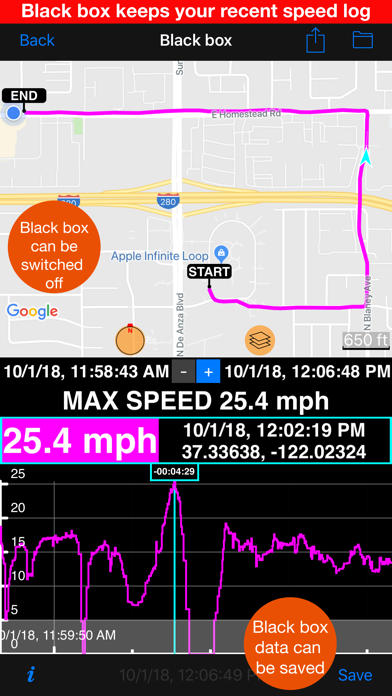
A high quality Speedometer app with the same sophisticated brain inside as our paid version. When you go over a preset speed limit, the large digits change colour from green to red and the device emits a loud sound to alert you! Great for avoiding speeding tickets! ‣ Easy to set and configurable speed limits. Set speed limits with 4 fast and configurable presets.
Speedometer 55 GPS Speed & HUD is a travel and navigation app by Stanislav Dvoychenko for iPhone. It needs iOS 15.6 or later.
Price and purchases
Speedometer 55 GPS Speed & HUD is free to download from the App Store.
Price from the App Store, checked 12 Nov 2026. Prices and purchases change; check the App Store before you buy.
Facts
- Price
- Free
- Requires
- IOS 15.6 or later
- Version
- 6.3
- Last updated
- 14 Aug 2026
- Size
- 66 MB
- Age rating
- 4+
- First released
- 13 Sept 2012
- App Store category
- Navigation
- Also listed in
- Utilities
- Rating count
- 22,745 ratings on the App Store
From the App Store listing, checked .
What's new in version 6.3
‣ Turn Speedometer 55 into a dash cam for the drive or an action cam for the ride. Video, location, speed, and motion data stay together, giving every important moment its full context. ‣ Add Speed, Pitch & Roll, G-Cross, Map, and QR Code overlays. Arrange them to fit your vehicle, activity, and view. ‣ Choose the iPhone, a wired or USB microphone, or Bluetooth. See which source is active, monitor it through headphones, and keep compatible music or podcasts playing. ‣ Use Loop Recording when only the latest part matters, and choose how much recent video to retain. ‣ Open your saved video from MENU > VIDEOS. Swipe quickly through the journey or move slowly for frame-level precision while the recorded data follows the video. ‣ Speedometer Free stores one video and lets you share any selected 15-second clip with app branding. To record another video, open MENU > VIDEOS and delete the current one. For unlimited stored videos and full-length exports, get Speedometer 55 PRO—a separate, one-time paid app.
From the developer's App Store release notes.
Alternatives to Speedometer 55 GPS Speed & HUD
Other travel and navigation apps for iPhone, by App Store chart ranking.


Details
- Developer
- Stanislav Dvoychenko ↗
- Category
- Travel and navigation, Measure and 3D scan
- Website
- blocoware.com
