

Mac utilities and customization File management app for Mac
Zero Folder
by Jose Cotes
- Price
- $0.99
- Platforms
- Mac
- Requires
- macOS 15.0+
- Updated
- 22 Oct 2026



Overview
From the developer's App Store description:
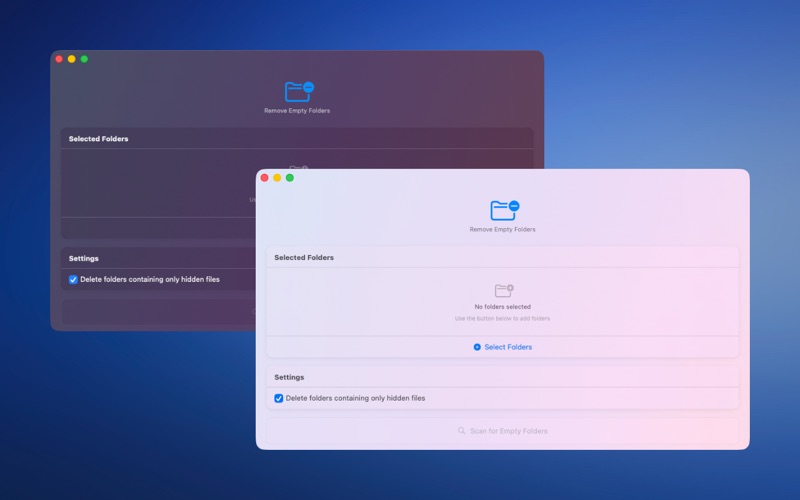
Zero Folder finds and removes empty folders on your Mac, external drives and network drives (NAS), so your files stay organized and easy to navigate. Pick one or more folders, scan, review the results and delete only what you choose. Nothing is ever deleted without your confirmation.
Zero Folder is a file management app by Jose Cotes for Mac. It needs macOS 15.0 or later.
Price and purchases
Zero Folder costs $0.99 on the App Store.
Price from the App Store, checked 12 Nov 2026. Prices and purchases change; check the App Store before you buy.
Facts
- Price
- $0.99
- Requires
- MacOS 15.0 or later
- Version
- 2
- Last updated
- 22 Oct 2026
- Size
- 1 MB
- Age rating
- 4+
- First released
- 24 Jun 2025
- App Store category
- Utilities
- Also listed in
- Productivity
From the App Store listing, checked .
What's new in version 2
What's New in Version 2 This update is all about safety and clarity. - Clearer Results - Each folder in the results list now shows its own full path, so it is always clear exactly which folder will be deleted. Hover over a path to see it in full. - Safer Deletion - Zero Folder now uses a removal method that refuses to delete any folder that still contains files. Even if a folder is reported as empty by mistake, your files stay untouched. - Double Check Before Delete - Every folder is checked again right before it is removed, so changes made after the scan are respected. - Extra Checks on Network Drives - Scan results are cross-checked, which adds protection on NAS and SMB shares. - Hidden Folders Protected - When hidden files are ignored, hidden subfolders (like .git) are only removed if they are empty. Thanks for using Zero Folder!
From the developer's App Store release notes.
Alternatives to Zero Folder
Other file management apps for Mac, by App Store chart ranking.


Details
- Developer
- Jose Cotes ↗
- Category
- File management
