

Developer Coding and developer app for Mac
CanvasGrid
by David Wilder
- Price
- Paid (¥800 in the Japanese App Store)
- Platforms
- Mac
- Requires
- macOS 26.0+
- Updated
- 30 Oct 2026


Overview
From the developer's App Store description:
A lot of us skip the design phase and go straight into code. Whether you're vibe coding or just not in Figma, the same problem shows up eventually: inconsistent UI. Buttons that don't quite match, spacing that drifted between builds, screens you haven't looked at in weeks. CanvasGrid fixes that.
CanvasGrid is a coding and developer app by David Wilder for Mac. It needs macOS 26.0 or later.
Price and purchases
CanvasGrid is a paid app: ¥800 in the Japanese App Store. US pricing may differ.
Price from the App Store, checked 12 Nov 2026. Prices and purchases change; check the App Store before you buy.
Facts
- Price
- Paid (¥800 in the Japanese App Store)
- Requires
- MacOS 26.0 or later
- Version
- 2.0.0
- Last updated
- 30 Oct 2026
- Size
- 4 MB
- Age rating
- 4+
- First released
- 7 May 2026
- App Store category
- Developer Tools
- Also listed in
- 開発ツール, グラフィック/デザイン
From the App Store listing, checked .
What's new in version 2.0.0
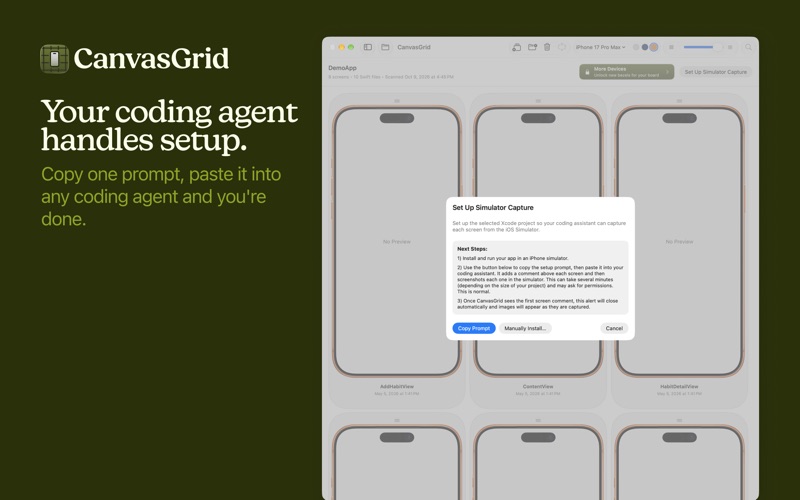
CanvasGrid 2 changes how your screens get onto the board. SIMULATOR CAPTURE • Your coding agent now captures each screen from the iOS Simulator. CanvasGrid no longer depends on Xcode previews, so there is nothing to wait on. • Screens are marked with a single comment above the view. No support file or preview wrappers in your app. • The board refreshes on its own as new screenshots arrive. Just ask your agent to "update CanvasGrid" when your UI changes. • Your agent asks for permission once per project instead of once per screen. • Screenshots now live in a CanvasGrid Images folder inside your project. ORGANIZE BY FOLDER • One click sorts your screens into sections named after the folders in your project. Sections you already made are left alone. MORE DEVICES • New iPhone 18 Pro Max module, in Silver, Black, Burgundy, and Glacier. • Switch devices from the toolbar. Each device keeps its own screenshots. • Compare Images now shows a screen's versions across the devices you own. UPGRADING FROM 1.0 • Open your project and CanvasGrid will offer a prompt that moves it to the new setup. Your saved versions and screen names are kept. • Rescan has moved to the View menu (⌘R).
From the developer's App Store release notes.
Alternatives to CanvasGrid
Other coding and developer apps for Mac, by App Store chart ranking.


Details
- Developer
- David Wilder ↗
- Category
- Coding and developer
- Website
- canvasgrid.vercel.app