

Developer Coding and developer app for Mac
Clone in VS Code
by Ahnaf Mahmud
- Price
- Free
- Platforms
- Mac
- Requires
- macOS 11.0+
- Updated
- 31 May 2026
Overview
From the developer's App Store description:
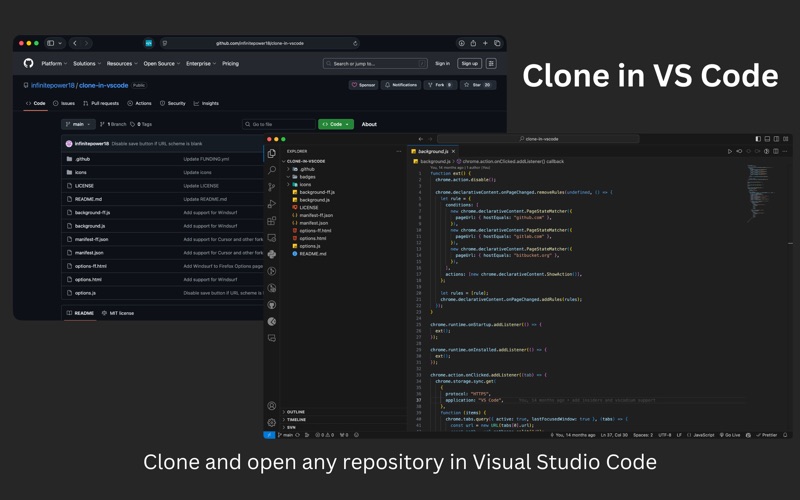
A Safari extension to clone any GitHub, GitLab or Bitbucket repository in Visual Studio Code with just one click. All you need is Visual Studio Code installed on your Mac for this extension to work. Then just click the extension on any GitHub, GitLab or Bitbucket repo and it will open VS Code where it will take you through the rest of the cloning process. The extension also supports other variations of VS Code such as VSCodium and Cursor.
Clone in VS Code is a coding and developer app by Ahnaf Mahmud for Mac. It needs macOS 11.0 or later.
Price and purchases
Clone in VS Code is free to download from the App Store.
Price from the App Store, checked 12 Nov 2026. Prices and purchases change; check the App Store before you buy.
Facts
- Price
- Free
- Requires
- MacOS 11.0 or later
- Version
- 1.5.0
- Last updated
- 31 May 2026
- Size
- 3 MB
- Age rating
- 4+
- First released
- 18 Aug 2022
- App Store category
- Developer Tools
- Also listed in
- Utilities
From the App Store listing, checked .
What's new in version 1.5.0
Added support for Antigravity IDE
From the developer's App Store release notes.
Alternatives to Clone in VS Code
Other coding and developer apps for Mac, by App Store chart ranking.


Details
- Developer
- Ahnaf Mahmud ↗
- Category
- Coding and developer
- Website
- github.com