

Developer Coding and developer app for Mac
RocketSim for Xcode Simulator
by SwiftLee
- Price
- Free
- Platforms
- Mac
- Requires
- macOS 15.2+
- Updated
- 27 Oct 2026




Overview
From the developer's App Store description:
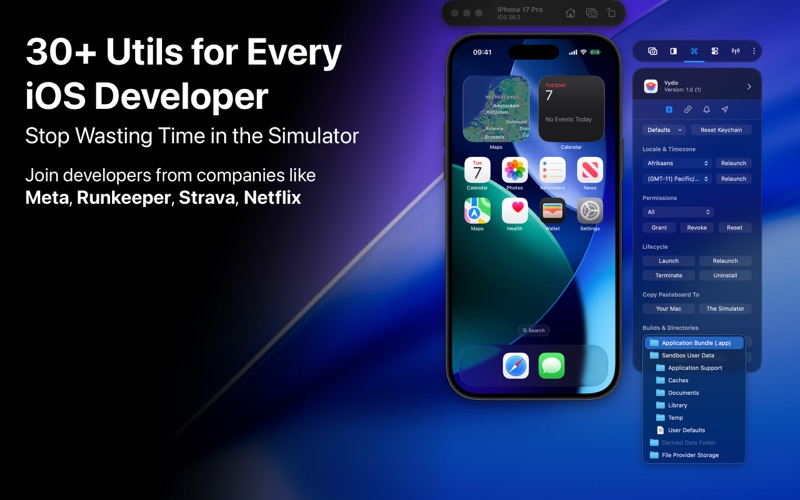
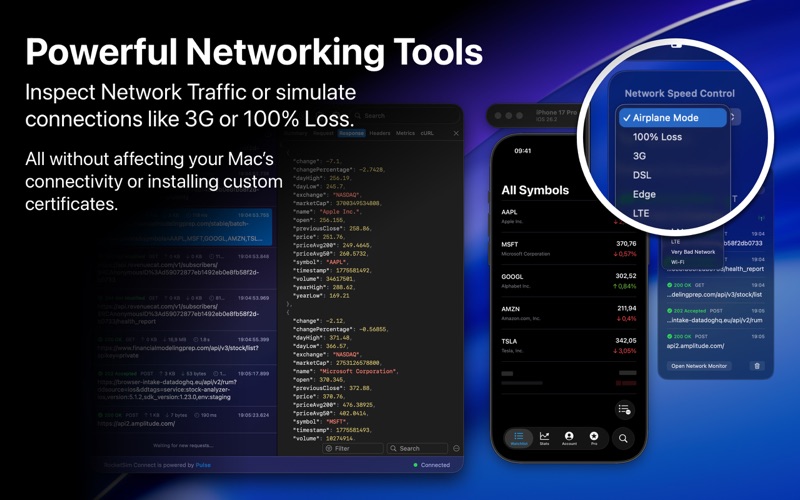
RocketSim enhances the Xcode Simulator for iOS and iPadOS development: boost productivity and streamline your workflow with capture, networking, build insights, and quick actions beside the Simulator. Developers report building, testing, and verifying apps up to 2x faster per RocketSim Developer Research.
RocketSim for Xcode Simulator is a coding and developer app by SwiftLee for Mac. It needs macOS 15.2 or later.
Price and purchases
RocketSim for Xcode Simulator is free to download from the App Store.
Price from the App Store, checked 12 Nov 2026. Prices and purchases change; check the App Store before you buy.
Facts
- Price
- Free
- Requires
- MacOS 15.2 or later
- Version
- 16.8.0
- Last updated
- 27 Oct 2026
- Size
- 64 MB
- Age rating
- 4+
- First released
- 22 Apr 2020
- App Store category
- Developer Tools
- Also listed in
- Utilities
From the App Store listing, checked .
What's new in version 16.8.0
New: - CLI: rocketsim screenshot and rocketsim video record accept the mesh gradients from the background picker, for example --background aurora-drift, pastel-foam, lava-bloom, or indigo-nightfall. An unknown name lists the valid ones. - CLI: --metadata now renders the app icon, title, and subtitle badge, like the Post Editor does, from the most recent build on the Simulator. Use --metadata-title, --metadata-subtitle (an empty value hides the subtitle), and --metadata-app bundle-id to override the text or pick another installed app. The badge needs --ratio other than auto; RocketSim now says so, or that no app could be found, instead of leaving the badge out. - Captures: customize screenshot and recording file names with pills for capture type, device, app name, inches, and date, in Settings > Captures. (Thanks, K. Strasser!) Improved: - Onboarding: a refreshed first-run flow with an optional email step on Welcome, a short demo of the RocketSim CLI and Agent Skill, and a guided CLI and Agent Skill install step that only continues once an Agent Skill is installed. Onboarding no longer ends on an empty window after a permission or install step. …
From the developer's App Store release notes.
Alternatives to RocketSim for Xcode Simulator
Other coding and developer apps for Mac, by App Store chart ranking.


Details
- Developer
- SwiftLee ↗
- Category
- Coding and developer
- Website
- rocketsim.app

