

Developer Coding and developer app for Mac
SQLiteFlow
by 晨亮 贾
- Price
- Free
- Platforms
- Mac
- Requires
- macOS 15.0+
- Updated
- 22 Oct 2026


Overview
From the developer's App Store description:
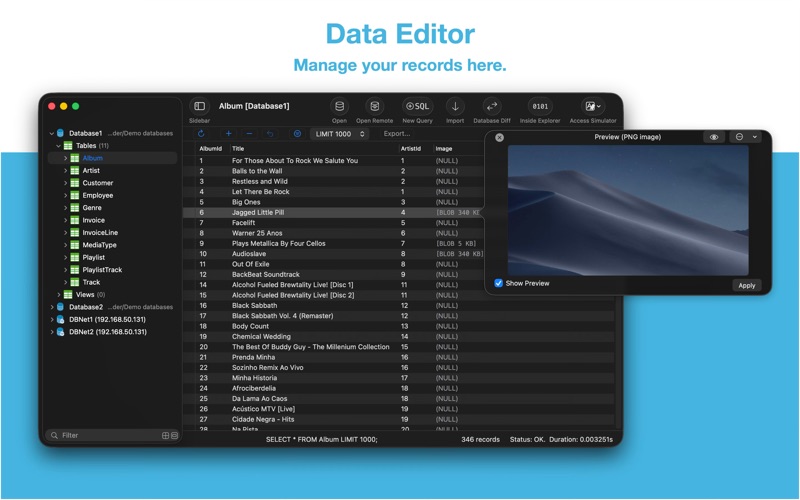
Two-week free trial! So you can purchase SQLiteFlow after you know you like it! SQLiteFlow is an SQLite editor for Mac & iOS which is intuitive, stable and reliable to use.
SQLiteFlow is a coding and developer app by 晨亮 贾 for Mac. It needs macOS 15.0 or later.
Price and purchases
SQLiteFlow is free to download from the App Store.
Price from the App Store, checked 12 Nov 2026. Prices and purchases change; check the App Store before you buy.
Facts
- Price
- Free
- Requires
- MacOS 15.0 or later
- Version
- 6.9.0
- Last updated
- 22 Oct 2026
- Size
- 8 MB
- Age rating
- 4+
- First released
- 9 May 2018
- App Store category
- Developer Tools
- Also listed in
- Productivity
From the App Store listing, checked .
What's new in version 6.9.0
• Query Editor. Supports Go to Error if query error appears. • ER-Diagram. Supports using Trackpad's magnify gesture to zoom in or zoom out the view. • Data Editor. If the length of a cell's text is long enough or contains multiple lines, user can edit it in a popover text editor for convenience. • Update SQLite library to version 3.54.1 (2026-10-16). • This version of SQLiteFlow requires macOS 15.0 or later.
From the developer's App Store release notes.
Alternatives to SQLiteFlow
Other coding and developer apps for Mac, by App Store chart ranking.


Details
- Developer
- 晨亮 贾 ↗
- Category
- Coding and developer
- Website
- sqliteflow.com