

Creative Drawing and painting app for iPhone
VizRef Lite
by Studio Pixanoh
- Price
- $1.99
- Platforms
- iPhone
- Requires
- iOS 13.2+
- Updated
- 8 Jun 2021
Overview
From the developer's App Store description:
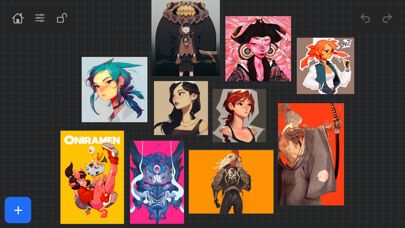
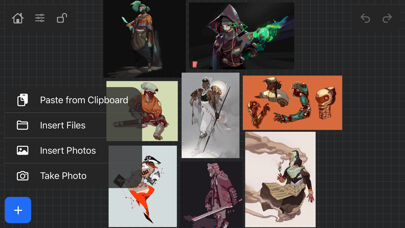
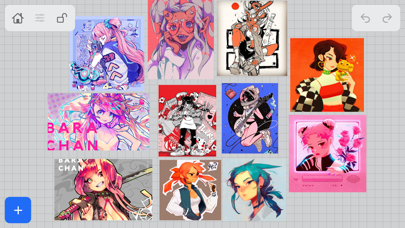
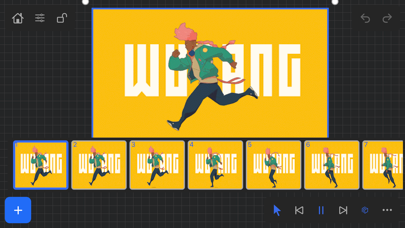
VizRef Lite® for iPhone enables creatives to finally take their inspiration anywhere on their phones. *You can not use iPad multitasking features with the iPhone version of VizRef. Please Download VIZREF for use on iPad. * It becomes the perfect companion app for Procreate or paired with your favorite drawing/animation application by using your iPhone as a second monitor dedicated to references. Take your reference boards with you while you travel and draw in your sketchbook.
VizRef Lite is a drawing and painting app by Studio Pixanoh for iPhone. It needs iOS 13.2 or later.
Heads up: VizRef Lite has not had an App Store update since 8 Jun 2021. Apps that go this long without updates may not work well on the latest macOS or iOS.
Price and purchases
VizRef Lite costs $1.99 on the App Store.
Price from the App Store, checked 12 Nov 2026. Prices and purchases change; check the App Store before you buy.
Facts
- Price
- $1.99
- Requires
- IOS 13.2 or later
- Version
- 1.1.7
- Last updated
- 8 Jun 2021
- Size
- 5 MB
- Age rating
- 4+
- First released
- 11 Mar 2020
- App Store category
- Graphics & Design
- Also listed in
- Photo & Video
- Rating count
- 38 ratings on the App Store
From the App Store listing, checked .
What's new in version 1.1.7
NEW FEATURES in 1.1.7 Exporting- Fixed some bugs related to exporting. Some of the UI was unresponsive when hitting export within the app. This was most likely due to some newer IOS versions that were later released. *** Please keep in mind that exporting/ importing directly into other apps such as Dropbox or even using Airdrop and Discord all work completely differently because of how those apps are created. We, unfortunately, can not improve much on batch exporting/ importing into these apps unless those developers improve how their apps deal with multiple images being imported or passing through them. For batch exporting images, I still recommend hooking up Dropbox/ Google Drive to the files app on your iPad and just batch exporting through the files app from Vizref. …
From the developer's App Store release notes.
Alternatives to VizRef Lite
Other drawing and painting apps for iPhone, by App Store chart ranking.


Details
- Developer
- Studio Pixanoh ↗
- Category
- Drawing and painting
- Website
- vizref.com