Productivity and work PDF app for Mac
ElectricDesign
by Tien Thinh Vu
- Price
- Paid (£14.99 in the UK App Store)
- Platforms
- Mac
- Requires
- macOS 10.11+
- Updated
- 30 Mar 2020

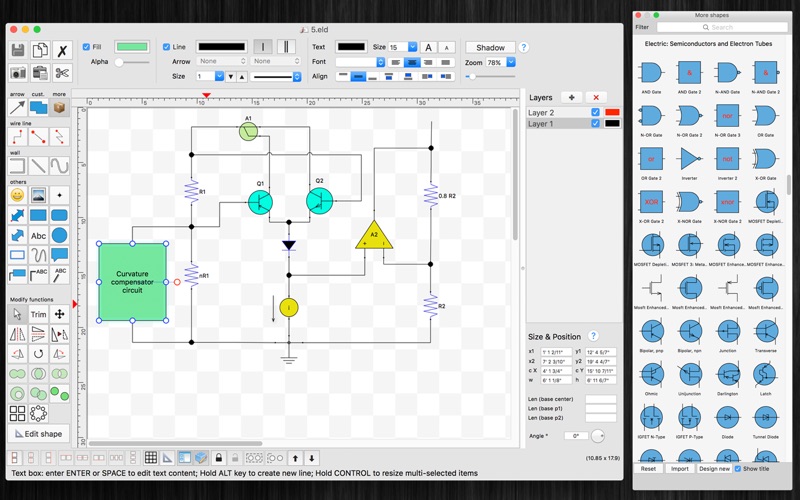
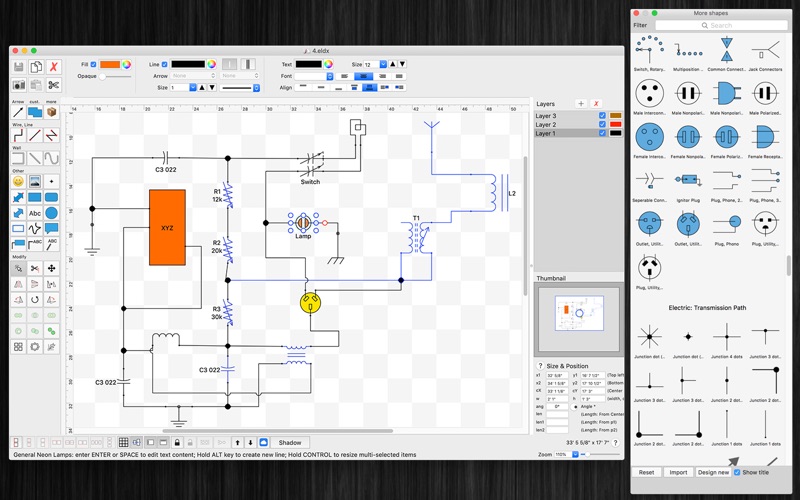
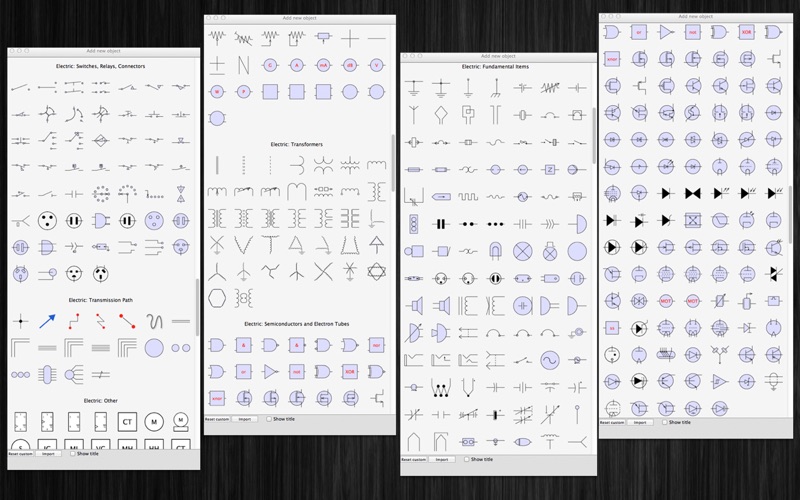

Overview
From the developer's App Store description:
ElectricDesign is graphical environment for creating electrical circuit plans, wiring diagrams via an intuitive user interface and electrically intelligent symbols in 2D.
ElectricDesign is a PDF app by Tien Thinh Vu for Mac. It needs macOS 10.11 or later.
Heads up: ElectricDesign has not had an App Store update since 30 Mar 2020. Apps that go this long without updates may not work well on the latest macOS or iOS.
Price and purchases
ElectricDesign is a paid app: £14.99 in the UK App Store. US pricing may differ.
Price from the App Store, checked 12 Nov 2026. Prices and purchases change; check the App Store before you buy.
Facts
- Price
- Paid (£14.99 in the UK App Store)
- Requires
- MacOS 10.11 or later
- Version
- 2.3
- Last updated
- 30 Mar 2020
- Size
- 17 MB
- Age rating
- 4+
- First released
- 24 Oct 2013
- App Store category
- Graphics & Design
- Also listed in
- Utilities
From the App Store listing, checked .
What's new in version 2.3
- Fix bugs - Improve ColorWell UI Previous updates: - Add support for macOS 10.15 - Support multi-languages: English, Deutsch, Français, 日本語, 한국어, Español, Português, Čeština, Dansk, Suomi, Italiano, Nederlands, Norsk, Polski, Русский, Svenska, ไทย, Türkçe, Tiếng Việt, 中文(中国), 中文(台灣) - Improve print dialog (add Detail controls to print dialog) - Allow users to copy/paste selected layer - Add Decimal Precision setting - Add more arrow types (architectural ticks....) - Support sync to iCloud - Add Thumbnail view - More print setting - Hold CONTROL to resize/rotate a group of selected objects - Add shape operation: Combine, Append, Separate.... - Allow to edit any object shape in a separate dialog - Rectangular/Polar array copy functions added - Support to input Feet, inch with Fraction (e.g.: 2’ 3 1/2” ) - Add Shortcut key CMD+SHIFT+M to move all items in all layers - Filter items in "More shapes" dialog by name - Allow to rotate text string in text box item - User can easily set size for selected items by input directly in to size text boxes - allow to distribute shapes (same space between multiple shapes) - add short cut key : CMD+B, CMD+I to change text to Bold or Italic …
From the developer's App Store release notes.
Alternatives to ElectricDesign
Other PDF apps for Mac, by App Store chart ranking.
 PDFgearFree, same category, 113 MB larger
 PDF ReaderFree, same category, 6.1 MB larger
 Designs for Cricut MakerFree, same category, 4.5 MB smaller
 Design Space & Font for CricutFree, same category
 Templates for AllFree, same category, 14 MB smaller
 PDF Reader for Adobe PDFFree, same category, 16 MB smaller
Details
- Developer
- Tien Thinh Vu ↗
- Category
- Website
- vutienthinh.wordpress.com