Productivity and work PDF app for Mac
FloorDesign2
by Tien Thinh Vu
- Price
- Free
- Platforms
- Mac
- Requires
- macOS 11.0+
- Updated
- 12 Jan 2026


Overview
From the developer's App Store description:
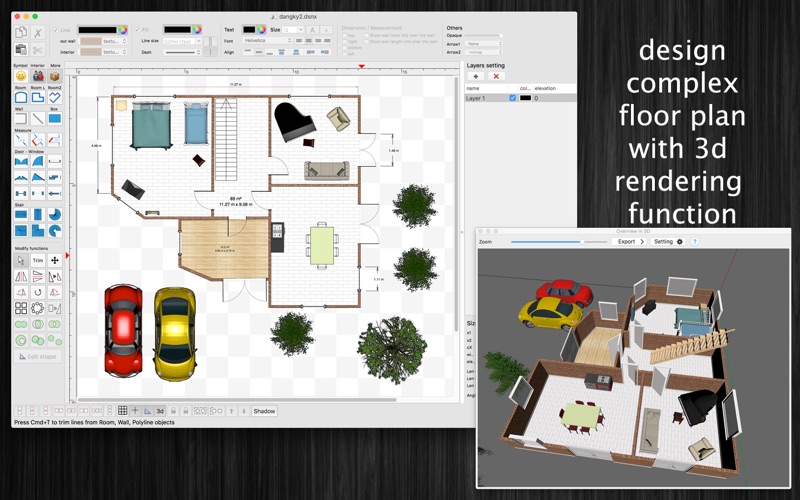
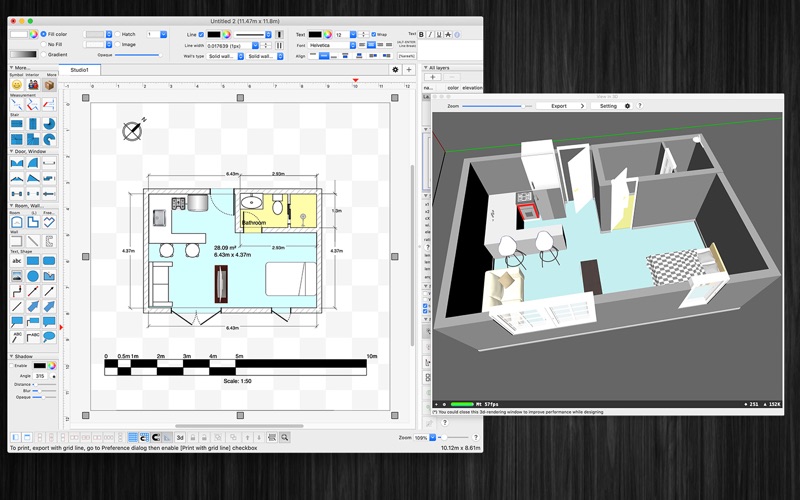
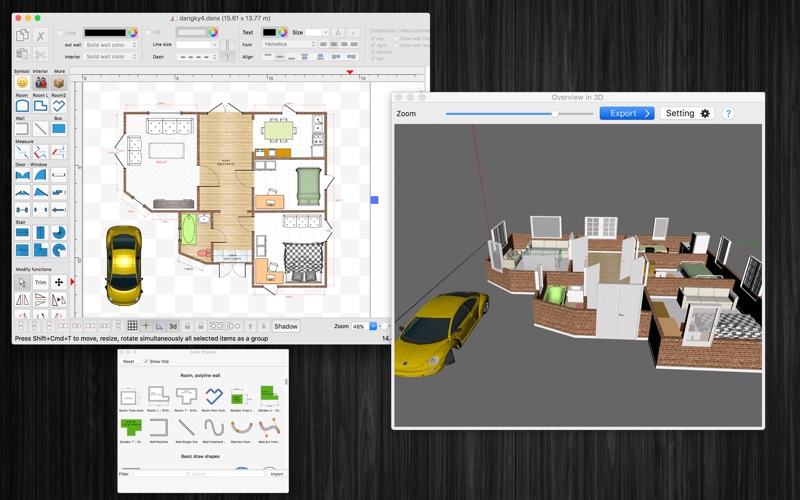
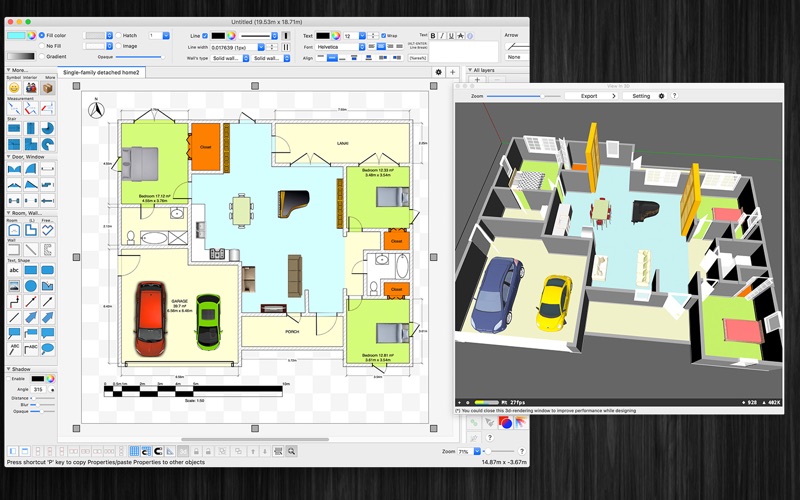
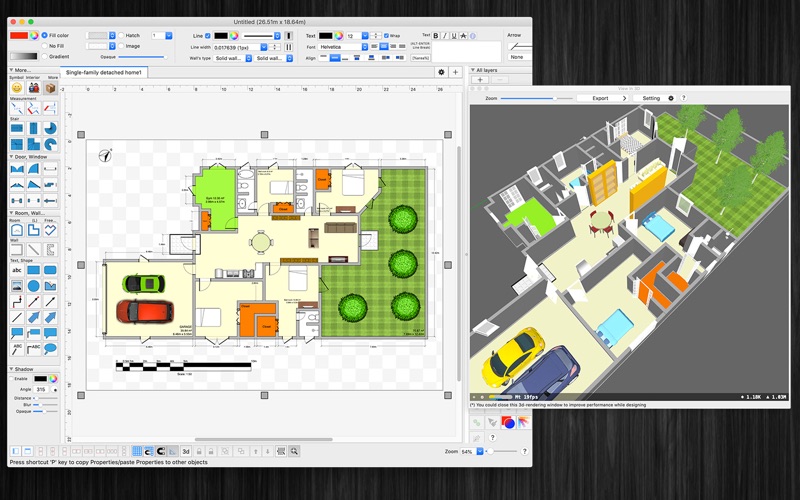
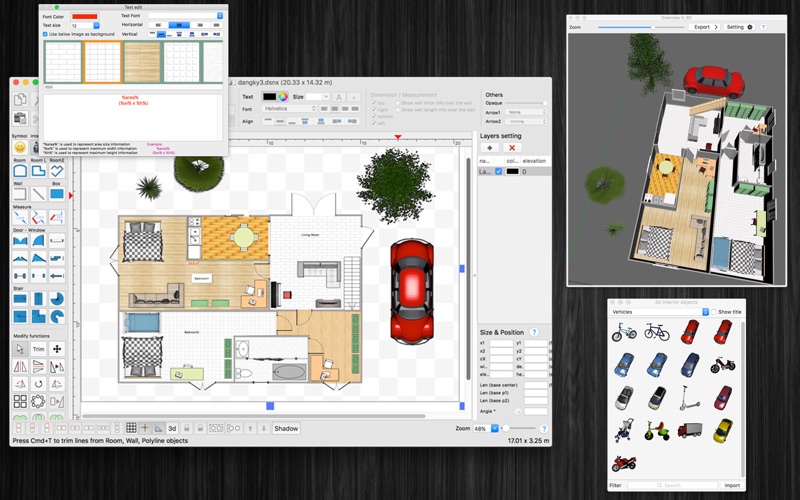
FloorDesign2 is an 3d interior design application (floor plan) that allows you to easily design your home plan in 2D, render in 3D, as well as change the color or the texture of each room, and drag - drop furniture, doors, windows... onto the room from a catalog organized by categories. (* Number of objects/shapes added to each document is limited, you could upgrade to Pro-Version to remove this limitation. *).
FloorDesign2 is a PDF app by Tien Thinh Vu for Mac. It needs macOS 11.0 or later.
Price and purchases
FloorDesign2 is free to download from the App Store.
Price from the App Store, checked 12 Nov 2026. Prices and purchases change; check the App Store before you buy.
Facts
- Price
- Free
- Requires
- MacOS 11.0 or later
- Version
- 3.2.15
- Last updated
- 12 Jan 2026
- Size
- 318 MB
- Age rating
- 4+
- First released
- 14 Mar 2020
- App Store category
- Graphics & Design
- Also listed in
- Productivity
From the App Store listing, checked .
What's new in version 3.2.15
- Fix bugs - Improve UI - Floor / Wall support arc path - Support material in 2 sides of wall - Allow to edit shape of vertical wall (add hole, change shape...) Previous update: - Allow to customize bottom taskbar/left, right inspector view - Double-click on an object to edit text directly on the canvas - Allow to change visible, printable properties of objects - Show objects in Layer's tree view - Add modify function: Trim floor/Trim wall - Add modify function: Add/Edit text - Add modify function: Edit connection point - Star polygon objects: Allow to customize edge size - Allow user to edit connection dots of any shape, box - Support find/replace string - Support save to iCloud - Add Template selection dialog - Add North Arrow, Scale Bar shapes into MoreShape dialog - Allow user to input Absolute coordinates, Relative coordinates, Polar coordinates for creating objects, walls - Add Explode wall, Join wall modify functions - "CMD-9" to change zoom to fit to canvas size - Add modify functions: Apply Gradient fill to multi objects - Add modify functions: Copy/Paste properties - Allow to change theme color of all items inside current document …
From the developer's App Store release notes.
Alternatives to FloorDesign2
Other PDF apps for Mac, by App Store chart ranking.
 PDFgearFree, same category, 188 MB smaller
 PDF ReaderFree, same category, 295 MB smaller
 Designs for Cricut MakerFree, same category, 306 MB smaller
 Design Space & Font for CricutFree, same category, 301 MB smaller
 Templates for AllFree, same category, 315 MB smaller
 PDF Reader for Adobe PDFFree, same category, 317 MB smaller
Details
- Developer
- Tien Thinh Vu ↗
- Category
- PDF, Graphic design
- Website
- vutienthinh.wordpress.com