Creative Graphic design app for Mac
SimpleCAD
by Tien Thinh Vu
- Price
- Paid (£19.99 in the UK App Store)
- Platforms
- Mac
- Requires
- macOS 10.11+
- Updated
- 16 Apr 2023


Overview
From the developer's App Store description:
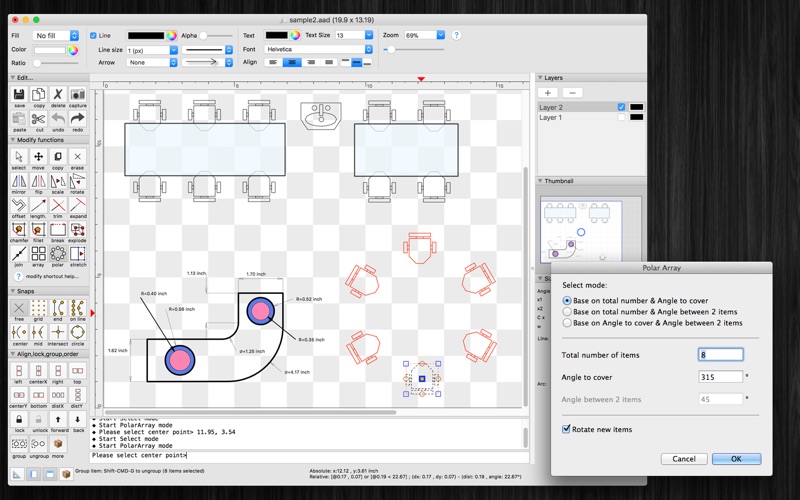
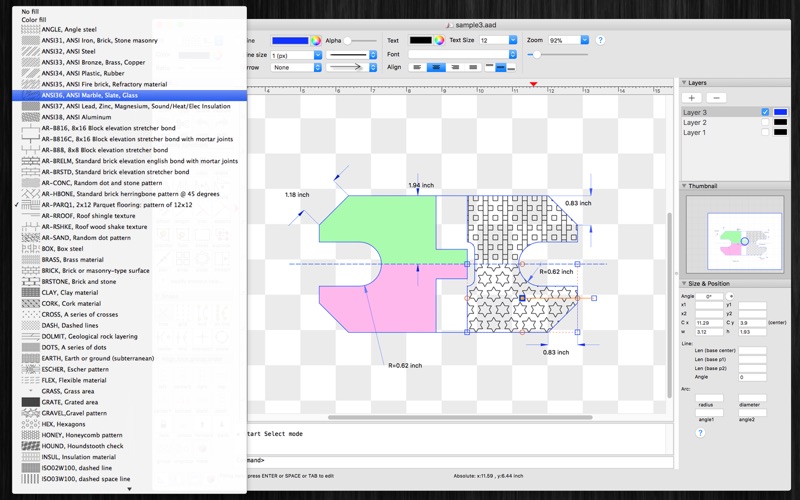
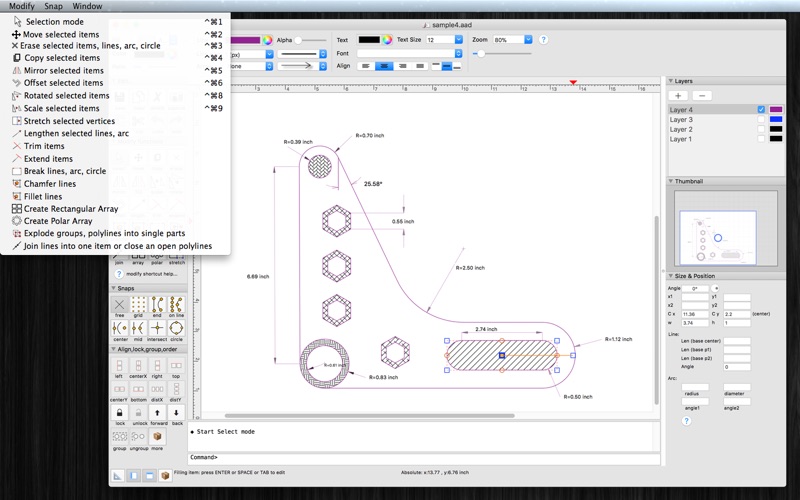
SimpleCAD is an easy, simple to learn 2D Computer Aided Design program (CAD) made to meet all of your basic design needs. SimpleCAD is more than just a vector paint program, because you could move, copy, edit, scale, rotate and offset… objects.
SimpleCAD is a graphic design app by Tien Thinh Vu for Mac. It needs macOS 10.11 or later.
Heads up: SimpleCAD has not had an App Store update since 16 Apr 2023. Apps that go this long without updates may not work well on the latest macOS or iOS.
Price and purchases
SimpleCAD is a paid app: £19.99 in the UK App Store. US pricing may differ.
Price from the App Store, checked 12 Nov 2026. Prices and purchases change; check the App Store before you buy.
Facts
- Price
- Paid (£19.99 in the UK App Store)
- Requires
- MacOS 10.11 or later
- Version
- 2.3
- Last updated
- 16 Apr 2023
- Size
- 12 MB
- Age rating
- 4+
- First released
- 7 May 2013
- App Store category
- Graphics & Design
- Also listed in
- Business
From the App Store listing, checked .
What's new in version 2.3
- Support macOS 13 Ventura - Support Apple silicon - Improve UI - Fix bugs Previous update: - Support multi-languages: English, Deutsch, Français, 日本語, 한국어, Español, Português, Čeština, Dansk, Suomi, Italiano, Nederlands, Norsk, Polski, Русский, Svenska, ไทย, Türkçe, Tiếng Việt, 中文(中国), 中文(台灣) - Improve print dialog (add Detail controls to print dialog) - Allow users to copy/paste selected layer - Add Decimal Precision setting - Support import/export SVG, SVGZ format - Improve unit setting - Add more default shapes (circle, triangle, polygon, star...) - Add more arrow types (Dot, Architectural tick, Oblique, Origin indicator....) - Add dialog to edit detail path of a shape easily - Add command: merge polylines into one shape - Add command: break a shape into polylines - add Thumbnail view - New: Modify Flip - New: Modify Align X, Y, Horizontal center, Vertical center, distribute - Modify Copy, Move, Flip, Rotate, Scale will apply to all items when no item selected - Undo/Redo supported after remove or add new layer - Support to input Feet, inches with Fraction (e.g.: 2’ 3 1/2” ) - More print setting (margin, pagination setting, print with grid line,…) …
From the developer's App Store release notes.
Alternatives to SimpleCAD
Other graphic design apps for Mac, by App Store chart ranking.


Details
- Developer
- Tien Thinh Vu ↗
- Category
- Graphic design
- Website
- vutienthinh.wordpress.com