

Developer Remote desktop and Windows app for Mac
virtualOS VM
by Jahn Bertsch
- Price
- Free
- Platforms
- Mac
- Requires
- macOS 15.0+
- Updated
- 11 Sept 2026

Overview
From the developer's App Store description:
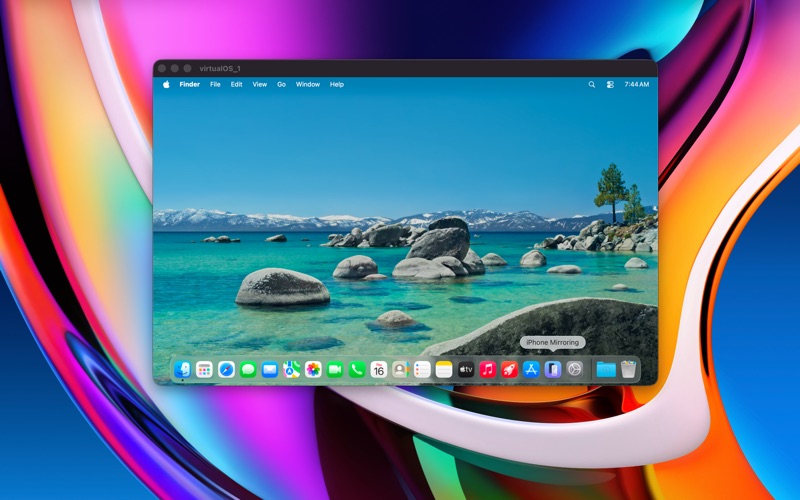
Run a virtual macOS machine on your Apple Silicon computer. On first start, the latest macOS restore image can be downloaded from Apple servers. After installation has finished, you can start using the virtual machine by performing the initial operating system (OS) setup. You can configure the following virtual machine parameters.
virtualOS VM is a remote desktop and windows app by Jahn Bertsch for Mac. It needs macOS 15.0 or later.
Price and purchases
virtualOS VM is free to download from the App Store.
Price from the App Store, checked 12 Nov 2026. Prices and purchases change; check the App Store before you buy.
Facts
- Price
- Free
- Requires
- MacOS 15.0 or later
- Version
- 3.0
- Last updated
- 11 Sept 2026
- Size
- 1 MB
- Age rating
- 17+
- First released
- 10 May 2022
- App Store category
- Developer Tools
- Also listed in
- Utilities
From the App Store listing, checked .
What's new in version 3.0
- Create snapshots to revert to previous versions of your VM (requires macOS 27) - Disk images are smaller and only take up the actually used space (requires macOS 27) - Automatic VM provisioning: enter username, password and other settings when creating the VM, the VM is then automatically set up (requires macOS 27) - USB pass-through: Attach USB devices to the VM (requires macOS 27) - Run multiple VMs at once - Autostart: select a VM that will be started when virtualOS is opened
From the developer's App Store release notes.
Alternatives to virtualOS VM
Other remote desktop and windows apps for Mac, by App Store chart ranking.
 Windows AppFree, same category, 97 MB larger
 Jump Desktop (RDP, VNC, Fluid)$34.99, same category, 33 MB larger
 Parallels DesktopFree, same category, 116 MB larger
 Parallels ClientFree, same category, 10 MB larger
 VMware Remote ConsoleFree, same category, 25 MB larger
 SoftVMFree, same category, 7.1 MB larger
Details
- Developer
- Jahn Bertsch ↗
- Category
- Remote desktop and Windows
